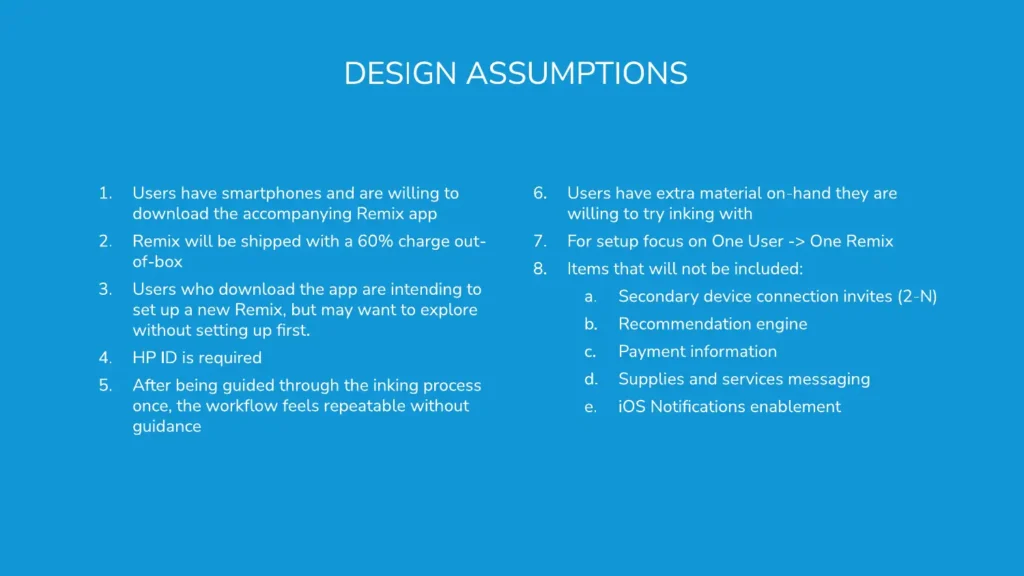
Users have smartphones and are willing to download the accompanying Remix app
Remix will be shipped with a 60% charge out-of-box
Users who download the app are intending to set up a new Remix, but may want to explore without setting up first.
After being guided through the inking process once, the workflow feels repeatable without guidance
Users have extra material on-hand they are willing to try inking with
For setup focus on One User -> One Remix
Items that will not be included:
Secondary device connection invites (2-N)
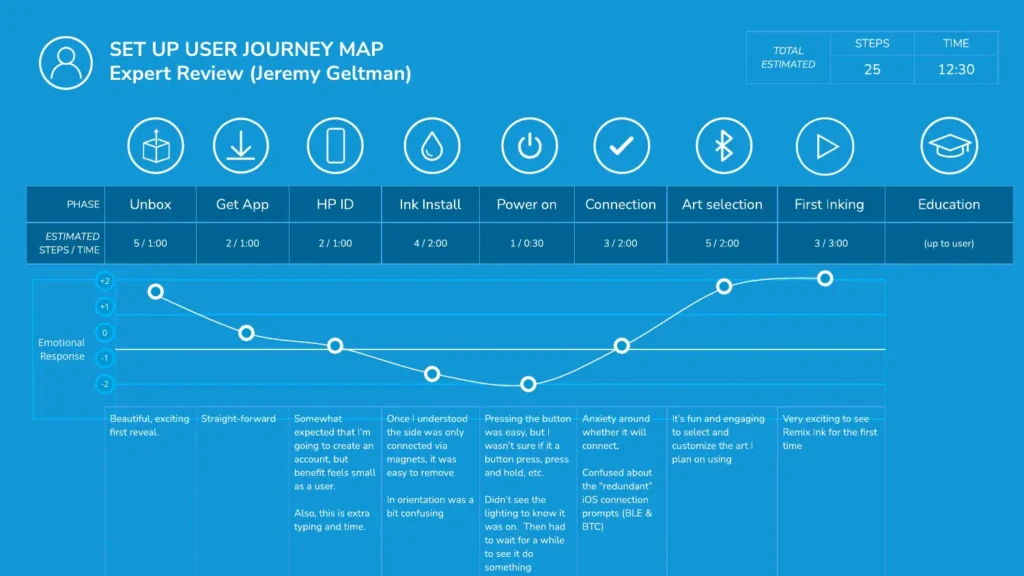
SET UP USER JOURNEY MAP
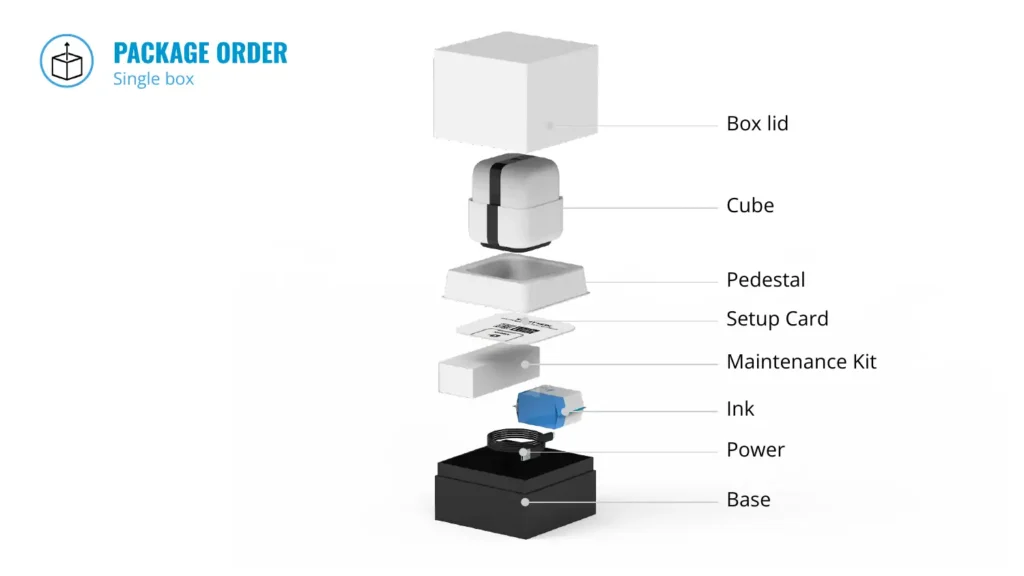
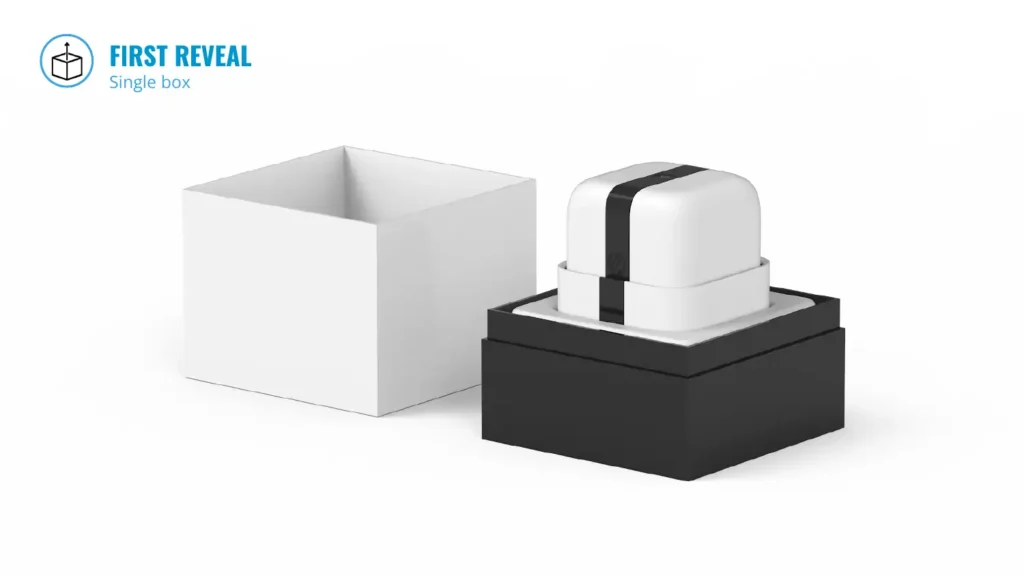
REMOVAL OF CUBE FROM PEDESTAL
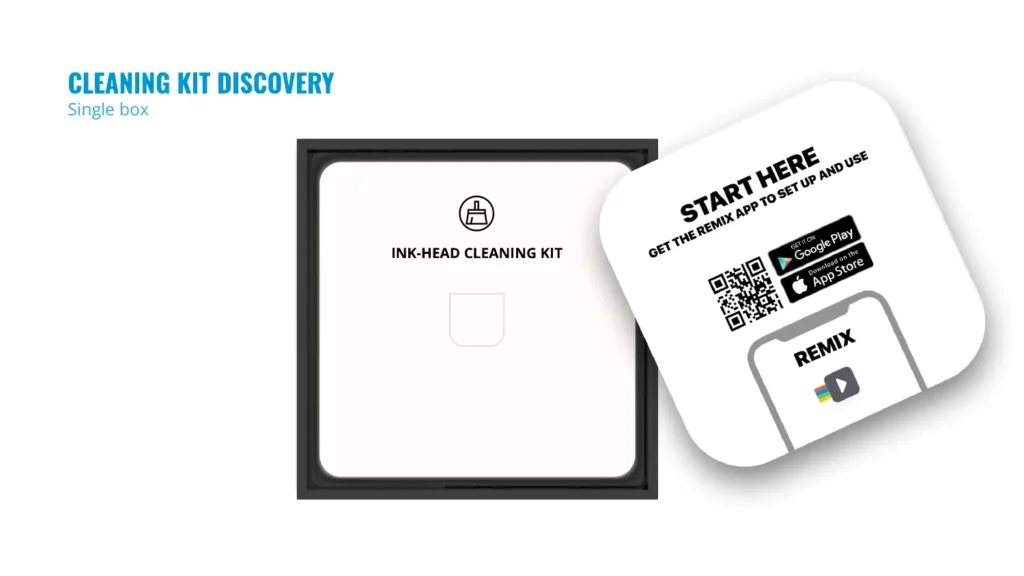
Hole in pedestal to allow for set up card discovery
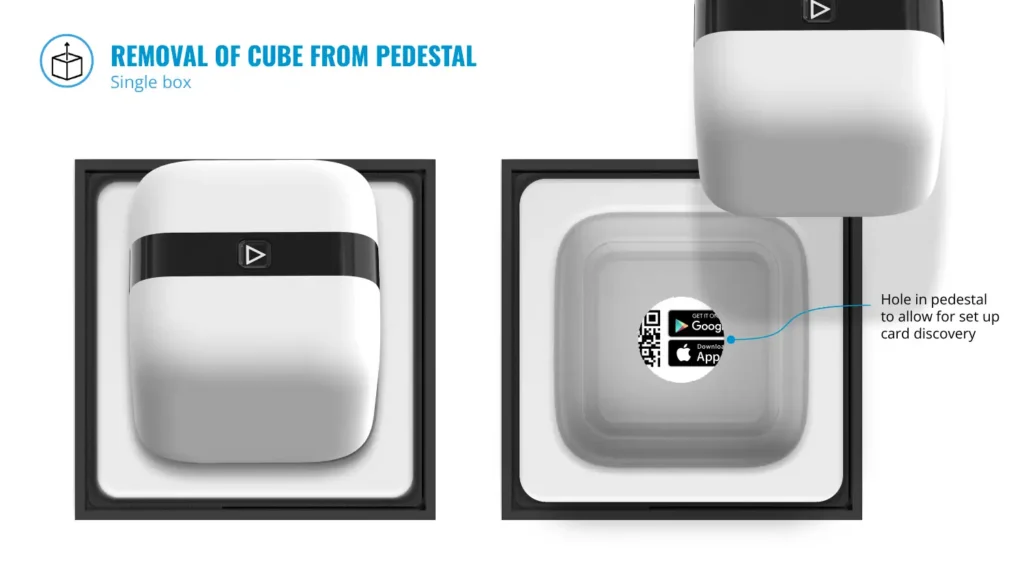
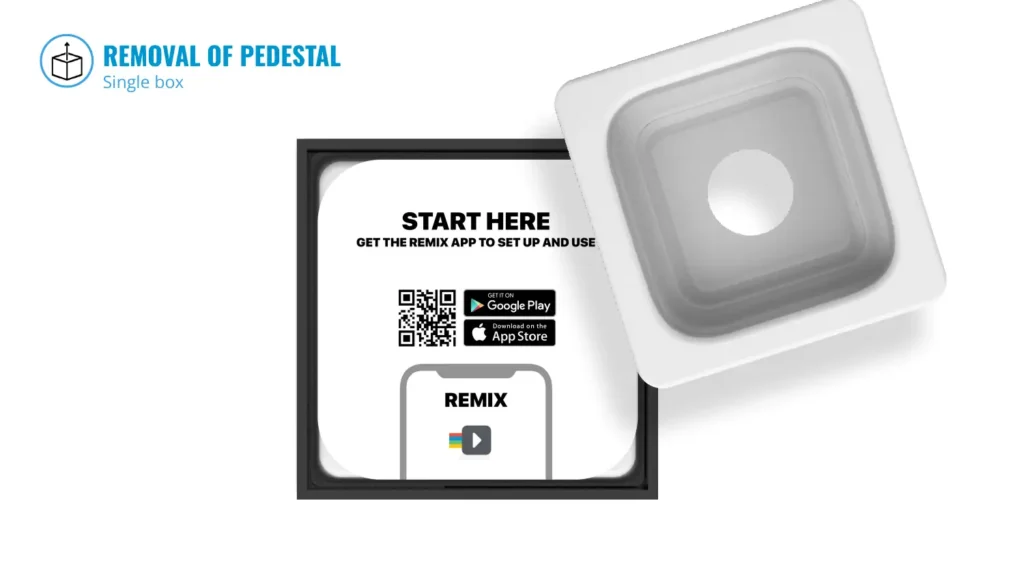
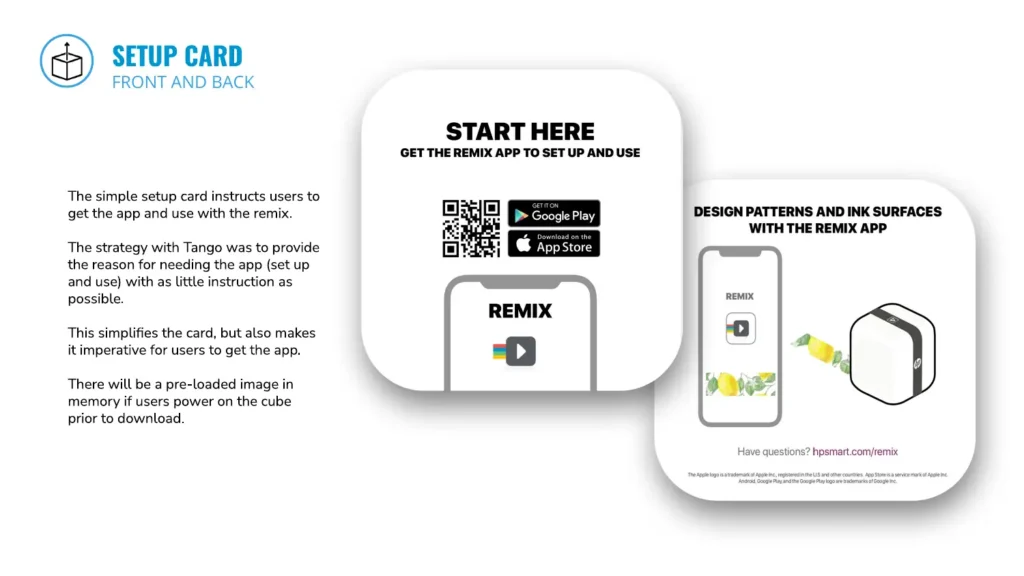
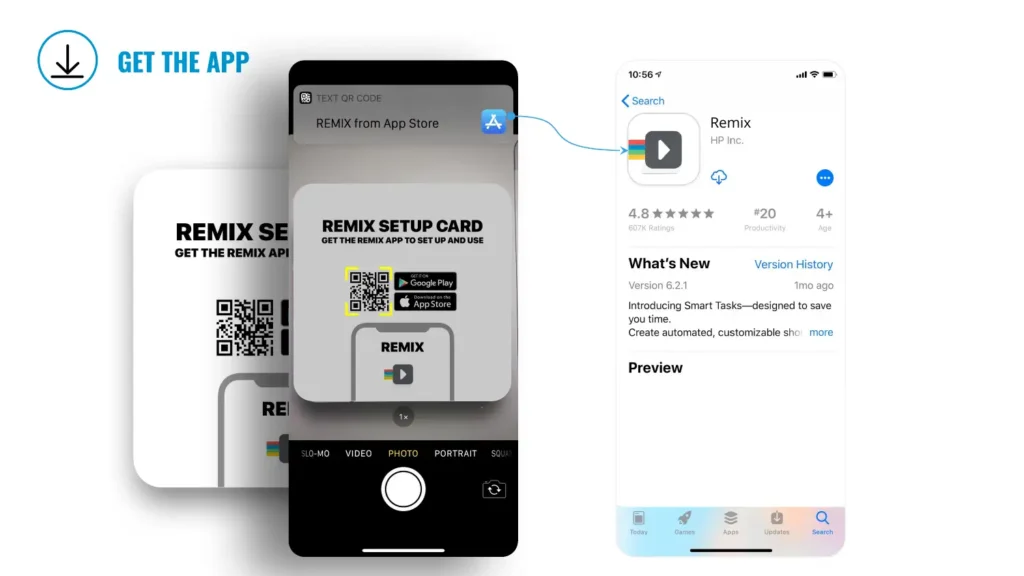
The simple setup card instructs users to get the app and use with the remix.
The strategy with Tango was to provide the reason for needing the app (set up and use) with as little instruction as possible.
This simplifies the card, but also makes it imperative for users to get the app.
There will be a pre-loaded image in memory if users power on the cube prior to download.
FIRST APP LAUNCH + HP ID
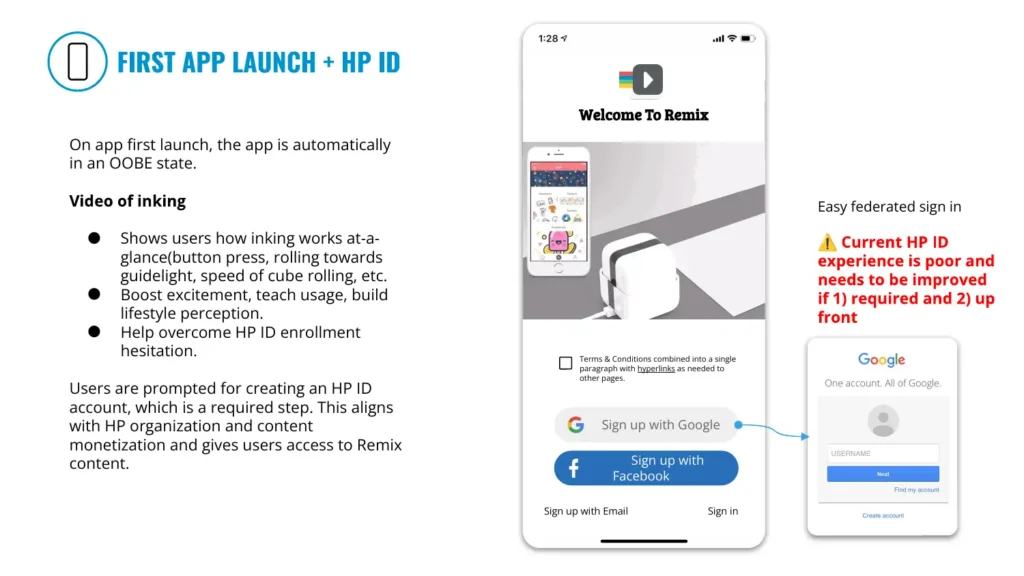
On app first launch, the app is automatically in an OOBE state.
Shows users how inking works at-a-glance(button press, rolling towards guidelight, speed of cube rolling, etc.
Boost excitement, teach usage, build lifestyle perception.
Help overcome HP ID enrollment hesitation.
Users are prompted for creating an HP ID account, which is a required step. This aligns with HP organization and content monetization and gives users access to Remix content.
⚠ Current HP ID experience is poor and needs to be improved if 1) required and 2) up front
Terms & Conditions combined into a single paragraph with hyperlinks as needed to other pages.
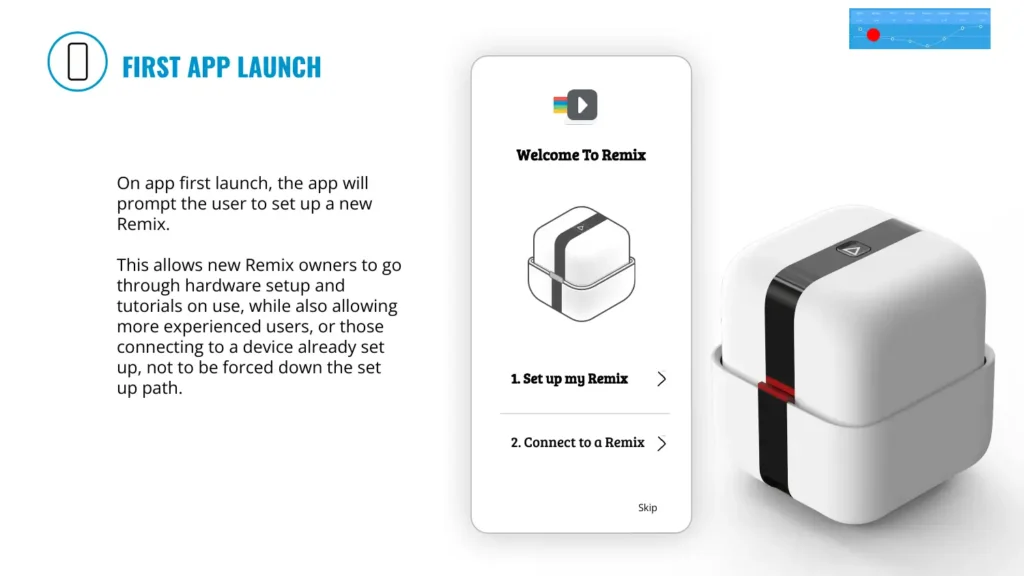
On app first launch, the app will prompt the user to set up a new Remix.
This allows new Remix owners to go through hardware setup and tutorials on use, while also allowing more experienced users, or those connecting to a device already set up, not to be forced down the set up path.
1. Set up my Remix
2. Connect to a Remix
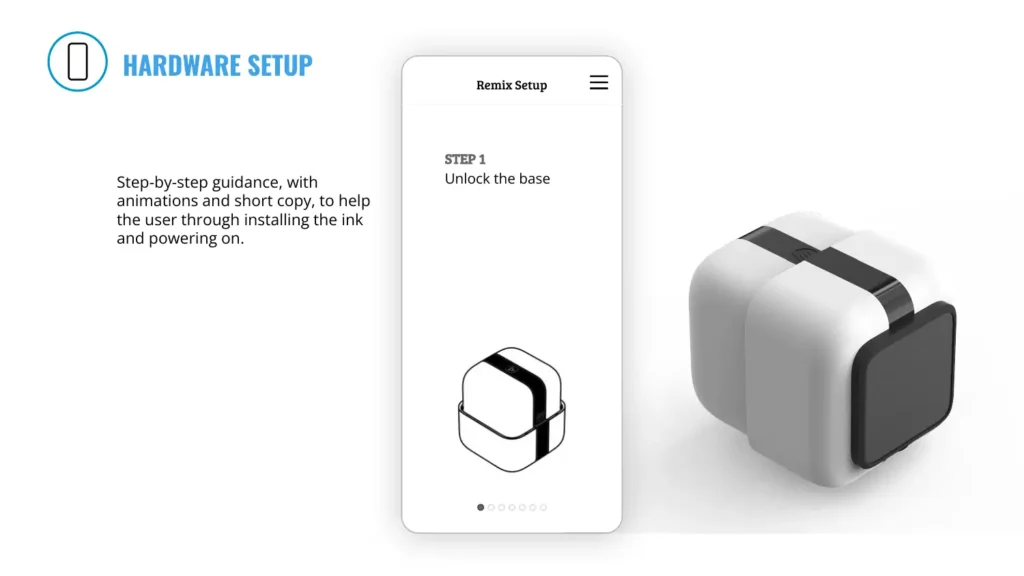
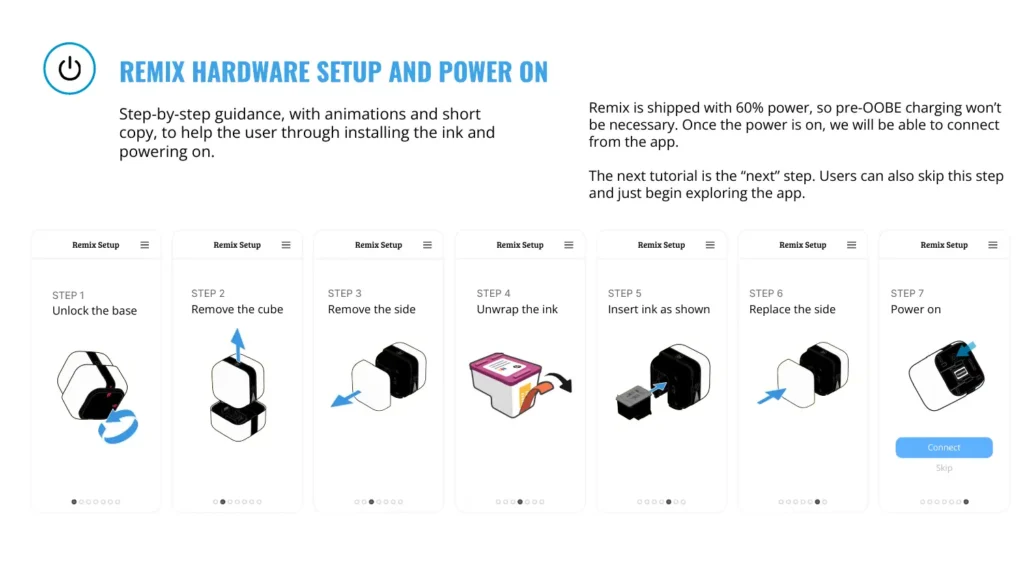
Step-by-step guidance, with animations and short copy, to help the user through installing the ink and powering on.
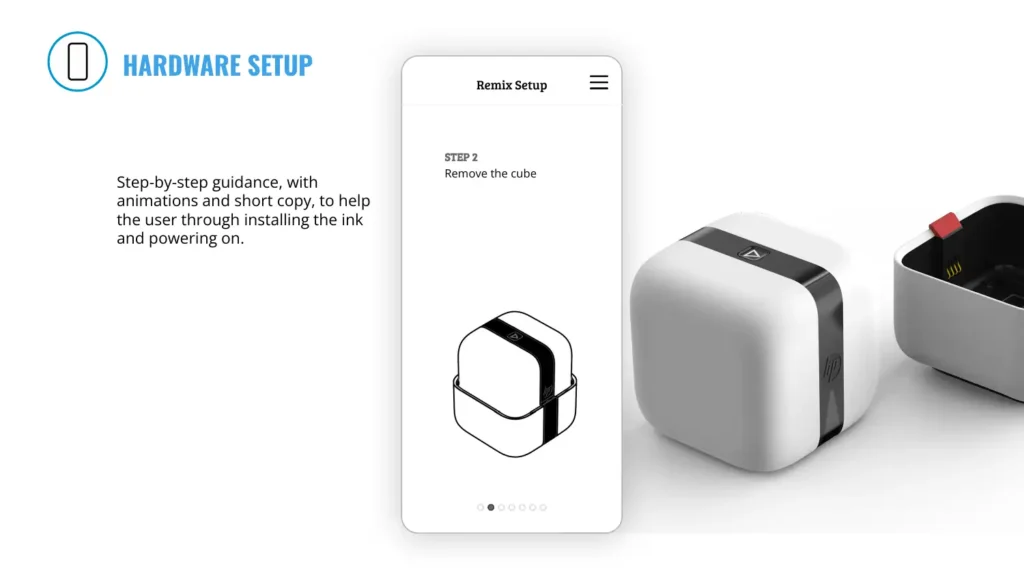
Step-by-step guidance, with animations and short copy, to help the user through installing the ink and powering on.
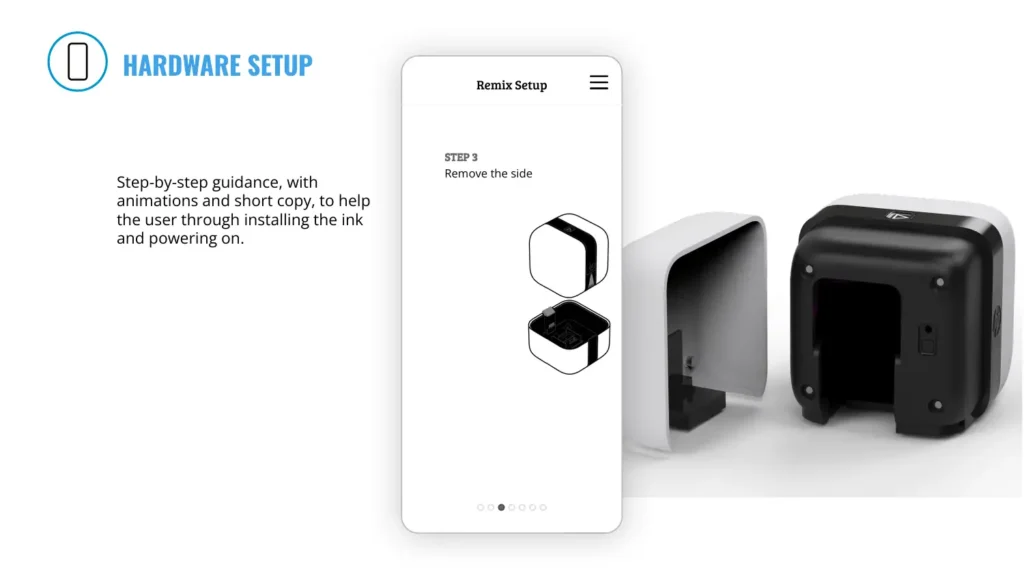
Step-by-step guidance, with animations and short copy, to help the user through installing the ink and powering on.
Step-by-step guidance, with animations and short copy, to help the user through installing the ink and powering on.
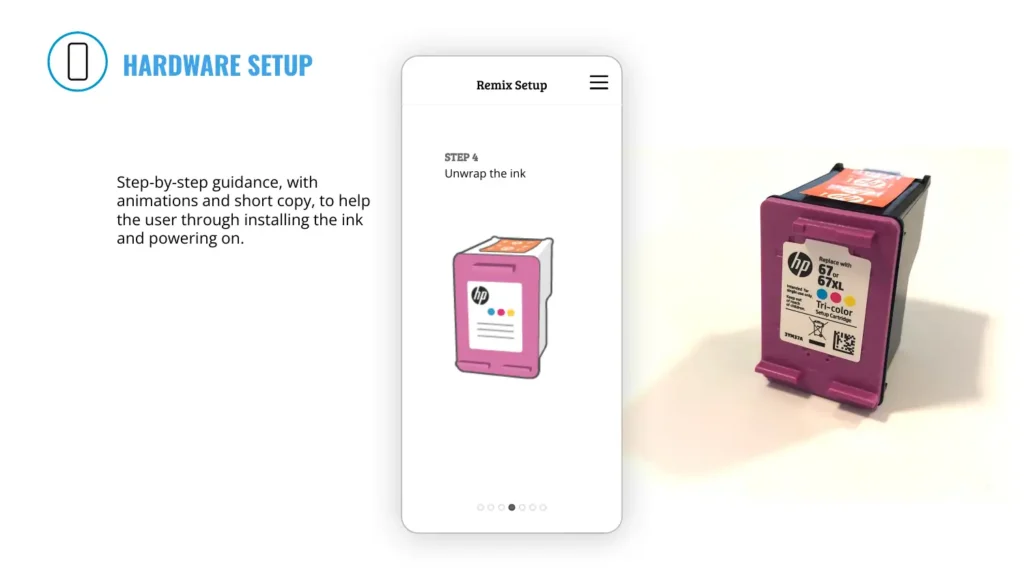
Step-by-step guidance, with animations and short copy, to help the user through installing the ink and powering on.
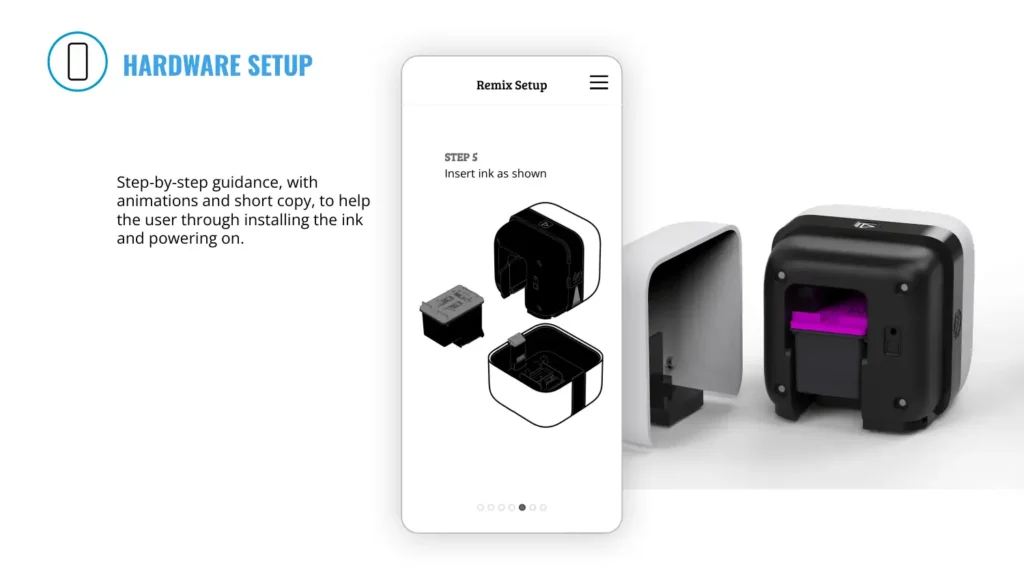
Step-by-step guidance, with animations and short copy, to help the user through installing the ink and powering on.
Remix is shipped with 60% power, so pre-OOBE charging won’t be necessary. Once the power is on, we will be able to connect from the app.
The next tutorial is the “next” step. Users can also skip this step and just begin exploring the app.
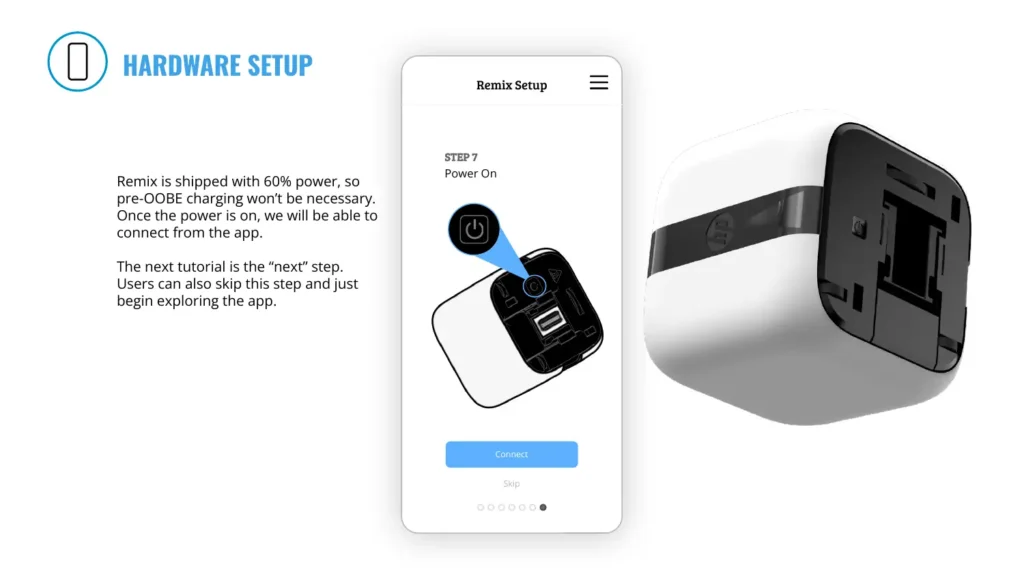
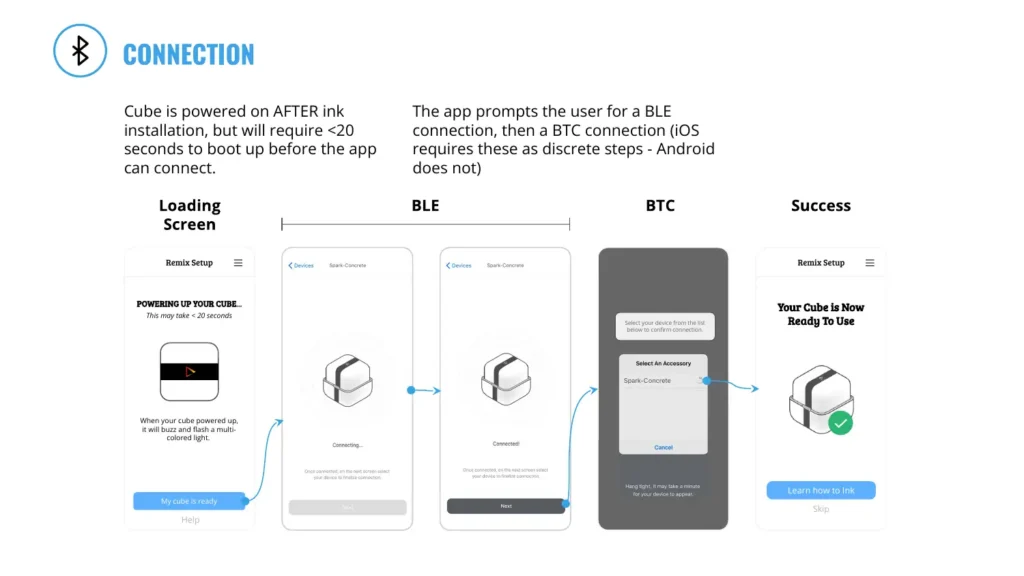
Cube is powered on AFTER ink installation, but will require <20 seconds to boot up before the app can connect.
The app prompts the user for a BLE connection, then a BTC connection (iOS requires these as discrete steps - Android does not)
This may take < 20 seconds
Select your device from the list below to confirm connection.
Your Cube is Now Ready To Use
When your cube powered up, it will buzz and flash a multi- colored light.
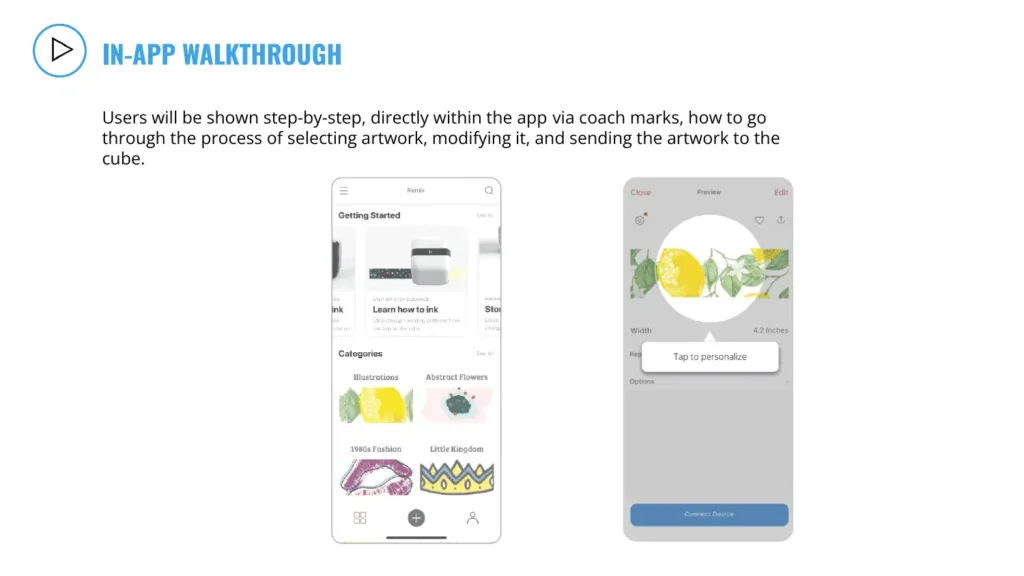
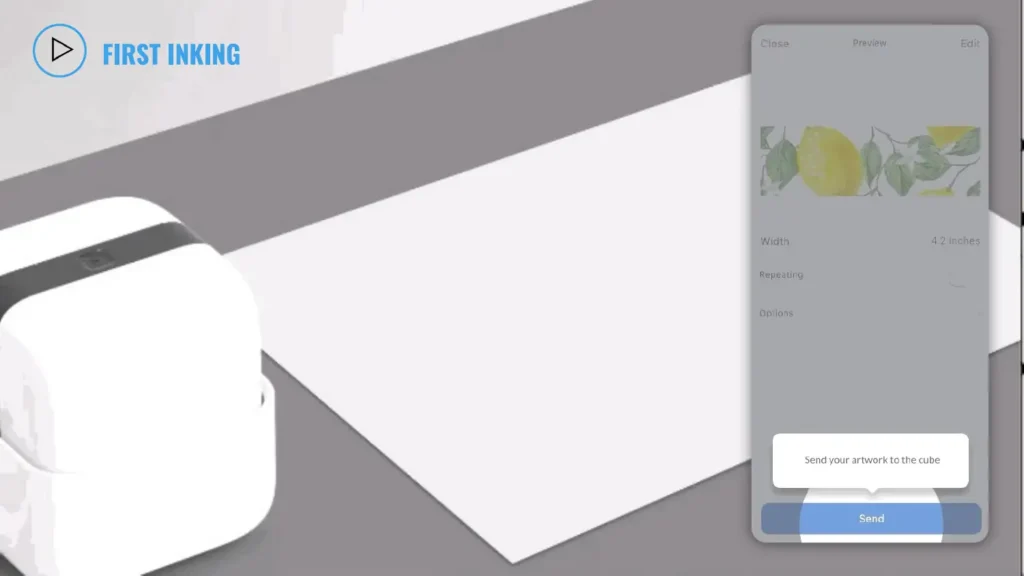
Users will be shown step-by-step, directly within the app via coach marks, how to go through the process of selecting artwork, modifying it, and sending the artwork to the cube.
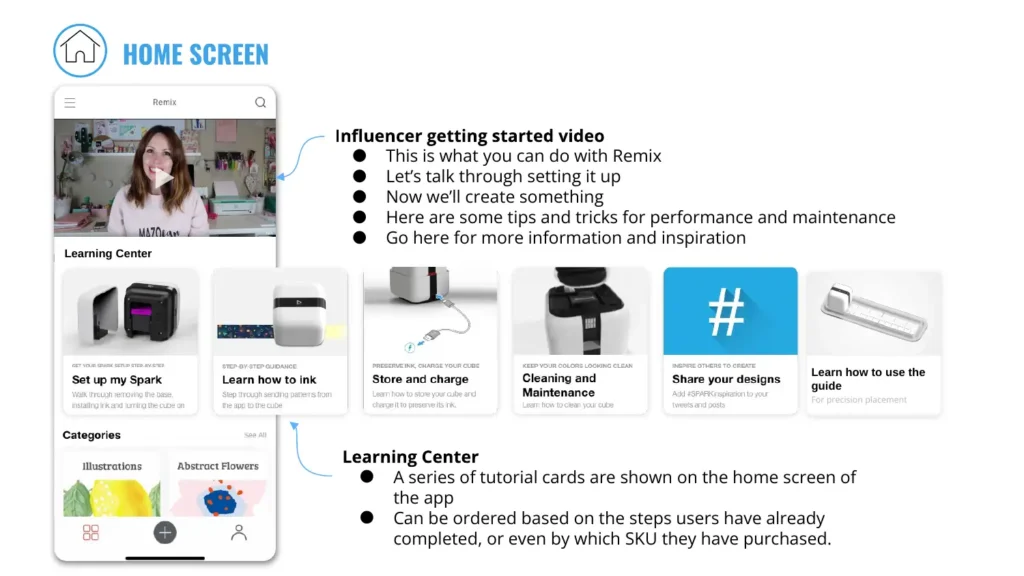
This is what you can do with Remix
Let’s talk through setting it up
Now we’ll create something
Here are some tips and tricks for performance and maintenance
Go here for more information and inspiration
Learn how to use the guide
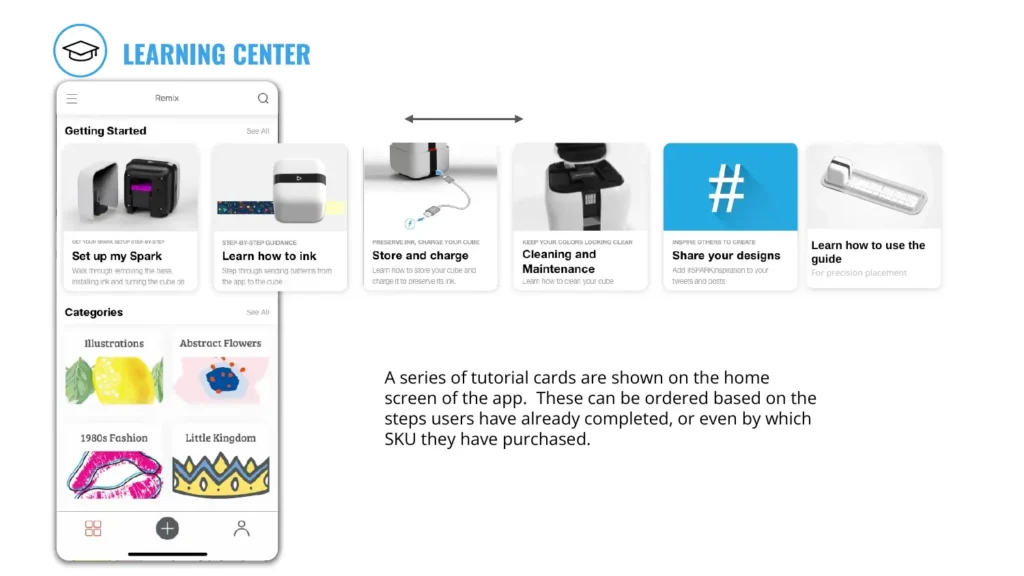
A series of tutorial cards are shown on the home screen of the app
Can be ordered based on the steps users have already completed, or even by which SKU they have purchased.
Learn how to use the guide
A series of tutorial cards are shown on the home screen of the app. These can be ordered based on the steps users have already completed, or even by which SKU they have purchased.
REMIX HARDWARE SETUP AND POWER ON
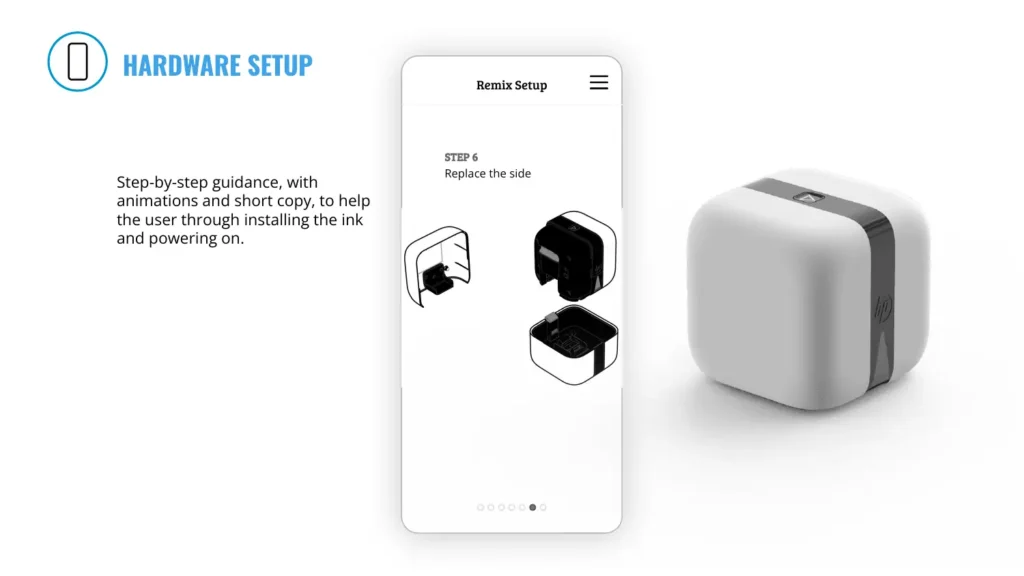
Step-by-step guidance, with animations and short copy, to help the user through installing the ink and powering on.
Remix is shipped with 60% power, so pre-OOBE charging won’t be necessary. Once the power is on, we will be able to connect from the app.
The next tutorial is the “next” step. Users can also skip this step and just begin exploring the app.
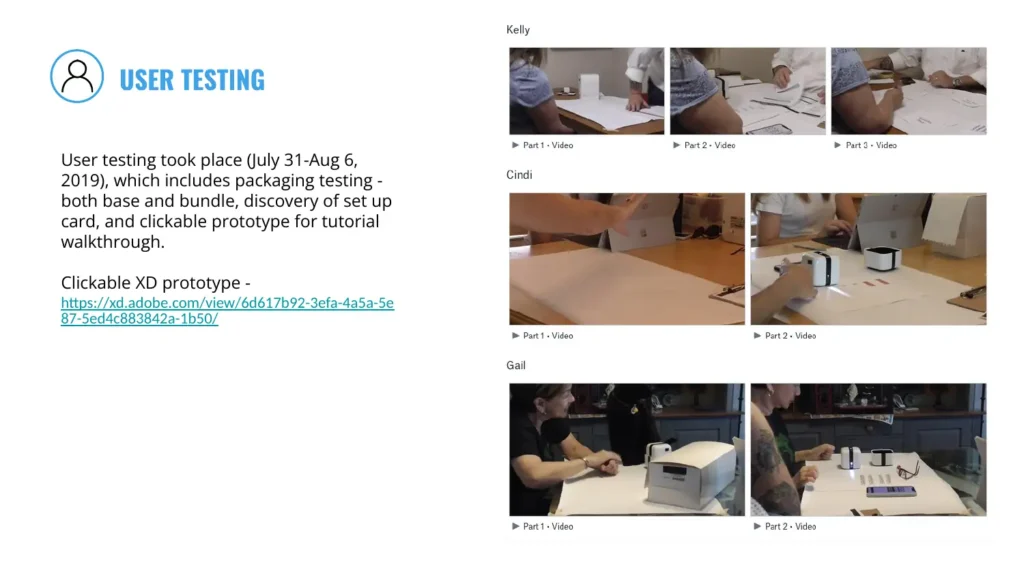
User testing took place (July 31-Aug 6, 2019), which includes packaging testing - both base and bundle, discovery of set up card, and clickable prototype for tutorial walkthrough.
Clickable XD prototype - https://xd.adobe.com/view/6d617b92-3efa-4a5a-5e87-5ed4c883842a-1b50/
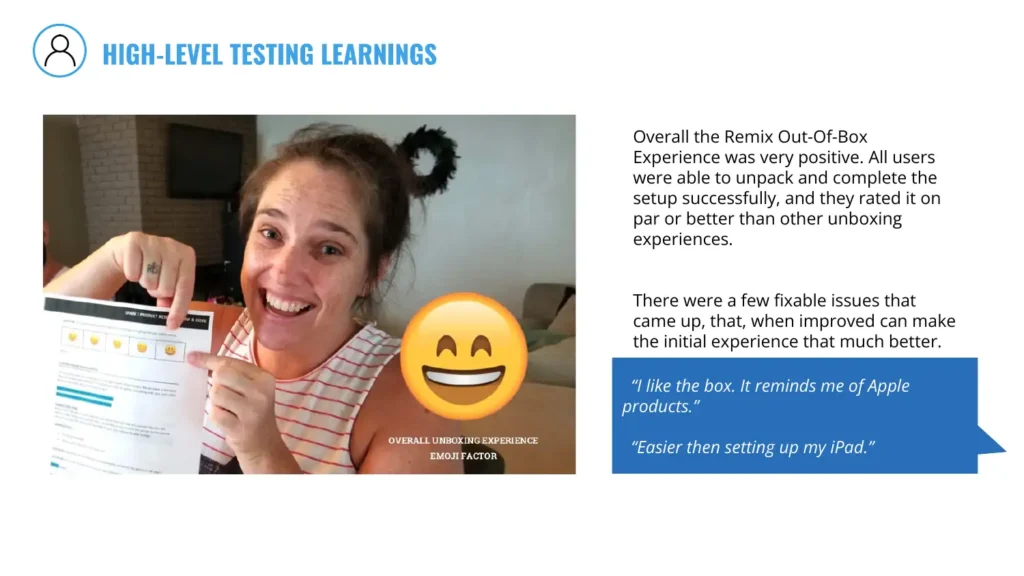
Overall the Remix Out-Of-Box Experience was very positive. All users were able to unpack and complete the setup successfully, and they rated it on par or better than other unboxing experiences.
There were a few fixable issues that came up, that, when improved can make the initial experience that much better.
“I like the box. It reminds me of Apple products.”
“Easier then setting up my iPad.”
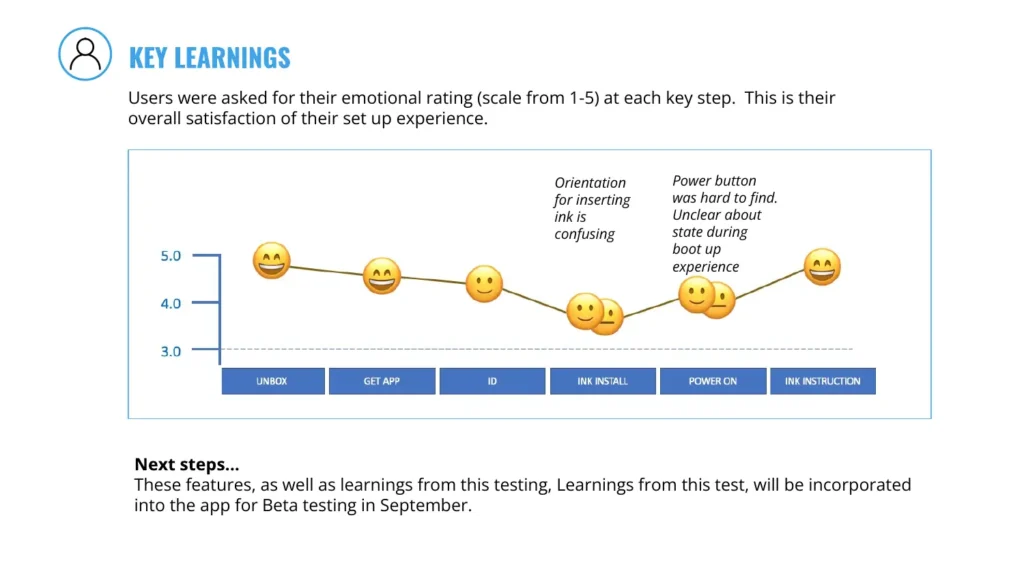
Users were asked for their emotional rating (scale from 1-5) at each key step. This is their overall satisfaction of their set up experience.
Orientation for inserting ink is confusing
Power button was hard to find. Unclear about state during boot up experience
These features, as well as learnings from this testing, Learnings from this test, will be incorporated into the app for Beta testing in September.