Craft Demo
Rosa works part time and uses TaskRabbit and airbnb to earn more money on the side. Unfortunately, managing her availability for each service is a burden, and sometimes she ends up double booked. Good news for her—these two companies have just merged (which could make her life even easier!)
How might you unify these two brands and products to simplify Rosa’s life? Where would you start? How would you approach this problem using re-usable systems? What would make for great design that accommodates the need for different products to serve different audiences?
Show us your process and the solution you’ve defined, including:
A low-fi prototype of your solution
One high-fidelity mockup for a single screen or interaction within the experience you’ve designed
Start with customer
Since Rosa’s pain is around double-booking, I’m going to start on the scheduling experiences for each service.
Assumptions (limit scope of exercise):
Rosa uses the mobile app for each service, and not her PC.
No syncing with other calendars (i.e. personal commitments or her part-time job).
Initial questions
Seems like effort cycles might be different for each service...when someone is occupying a listing, seems like there isn’t too much work to do. Where do the time commitments lie for each service?
What is the scheduling workflow for each service?
How does the scheduling experience for each service work? Who initiates the booking? What is the work flow? How is double-booking handled within each system?
I don’t have access to Rosa, but...
I reached out to a tasker and a host to ask about scheduling features, pain points, preferences, etc.
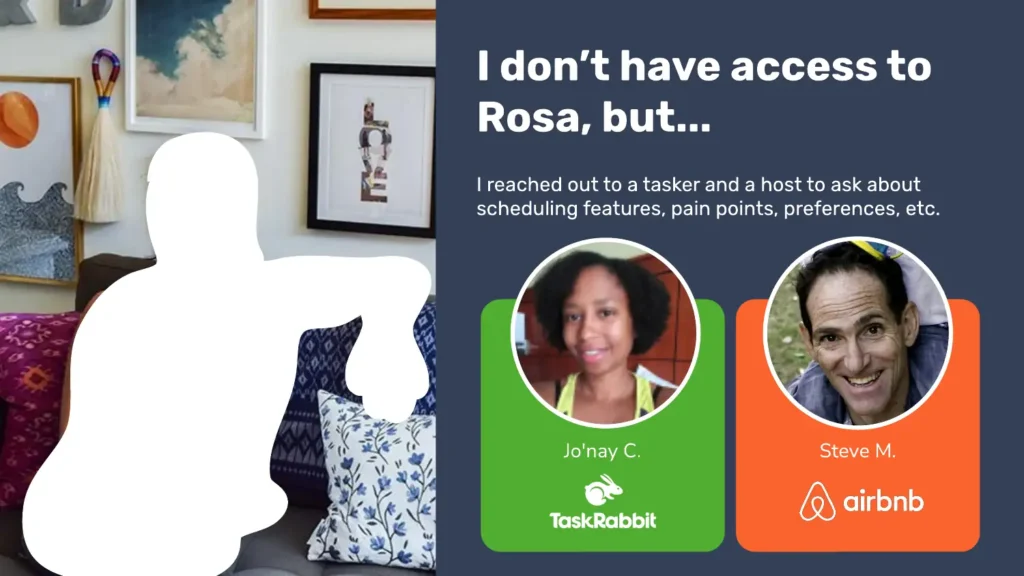
Steve M. - airbnb host interview
Airbnb host about 1 year - Using iOS
When he receives an iOS text message notification, they only send a truncated message, but make you open the app to see the full message. Inconveniently, there is no link from text message to the message.
1 in 3 will have minor questions-multiple cars, grocery nearby?
Likes the airbnb host message reminders. He then sends link to house manual, select lock pin, ask about arrival dates. Night before they come he sends sms with key info - his contact, pin, entrance location, forward to other renters
If seem lime types to miss checkout he’ll follow up in person. Tries to say hi in person. If long stay he’ll check in.
On the home screen he is defaulted to the inbox (client communications) instead of his calendar, which is his preference (because he has only a single property).
When he views his calendar, it shows him only tiny thumbnails of the month, then agenda view. Since he only has one property, he’d prefer it jumped straight into the month view.
On calendar, he likes seeing when his guests will be checking in and out.
From the agenda view he likes that you can communicate with guests directly
Minimum 4 night stay - this is also average stay. If there are 3 night or two night vacancies, he’ll lower the minimum to accommodate
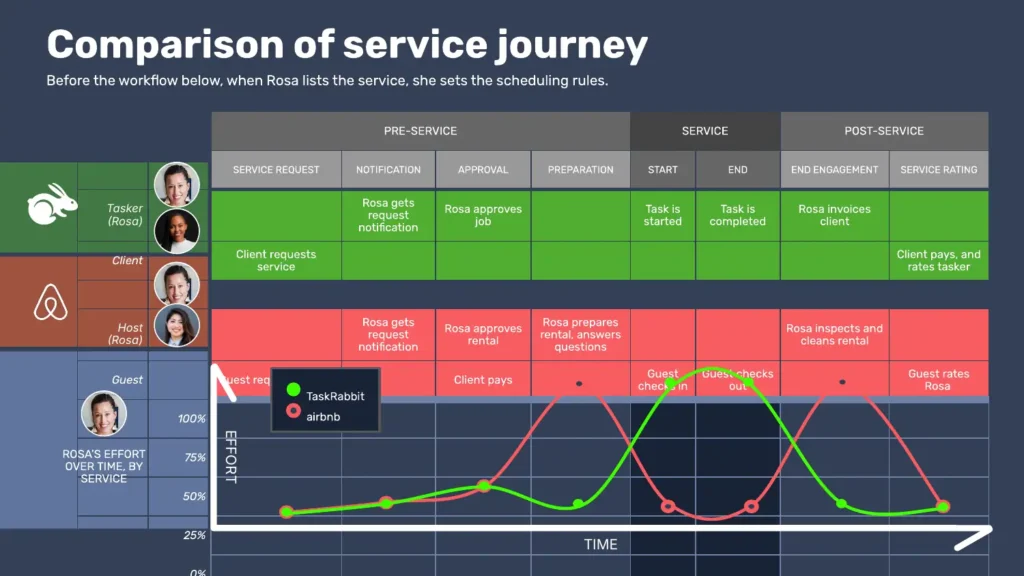
Significant effort spent before rental, little during, and then significant after rental.
Uses a cleaning service. Print calendar and physically give to cleaner - Martha 10-4 to clean
Booking 6 weeks to 8 months on advance. Sends manual “thanks for booking” message.
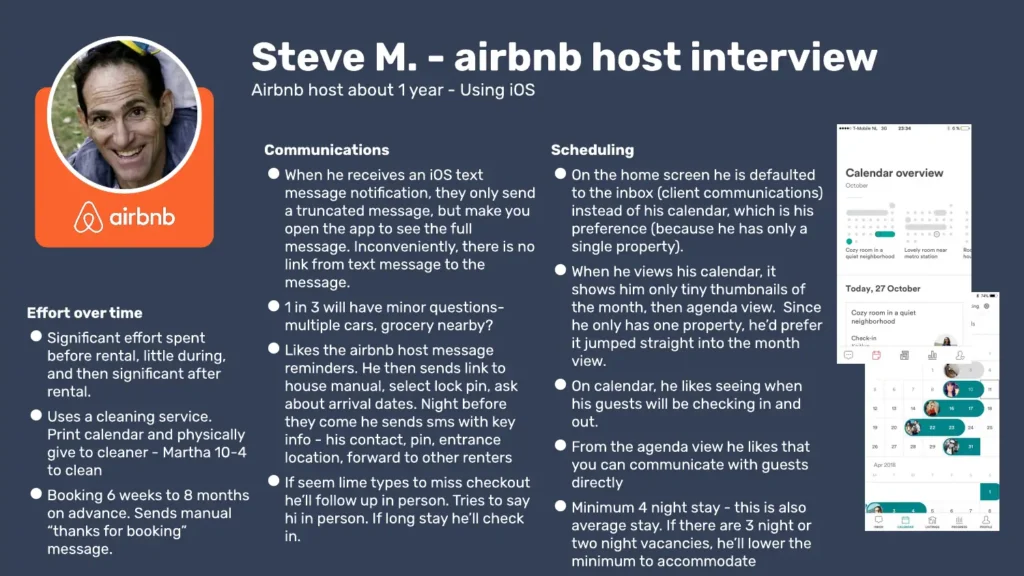
Jo’nay C. - Tasker Interview
TaskRabbit Tasker about 2 years - Using Android
What happens if you double book?
People can only find you for the days available.
System doesn’t allow you to double-book tasks
How do you set availability?
Preset availability up to 14 days in advance, go in there every two weeks to remember to do that.
Sometimes people tack on additional projects - jo’nay will accept same day tasks.
Can’t change calendar view
How do you avoid conflicts with events outside of TaskRabbit?
Her main job is in 9-5 so she only sets available out of those hours.
Doesn’t try syncing with other calendars
I like everything it does, wouldn’t change anything
Does want more jobs
Very little time spent before or after the task.
Tasks are short (a few hours)
How do you know when a new tasks is sent?
Receives Android notification with timer to response
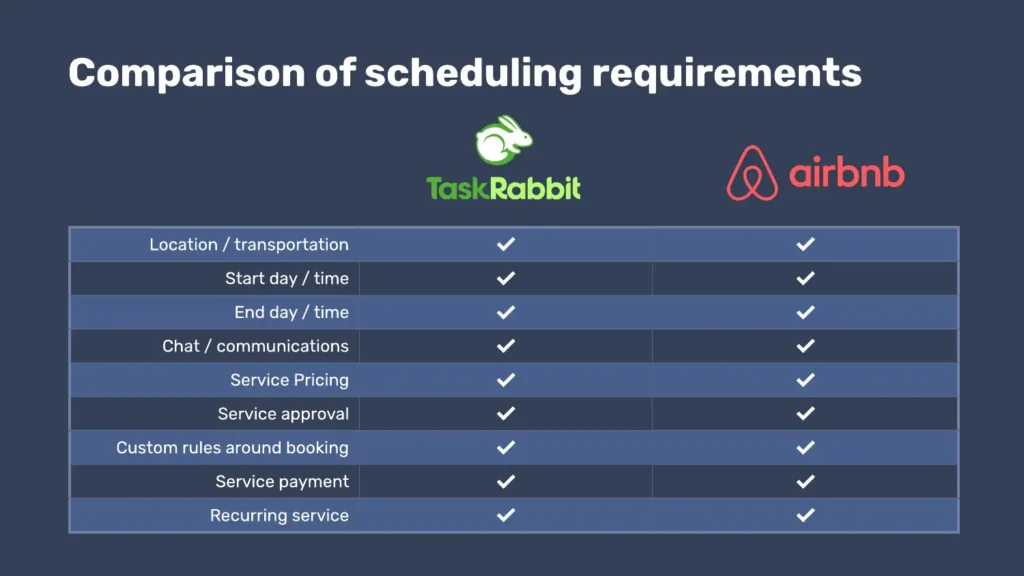
Comparison of scheduling requirements
Comparison of service journey
Before the workflow below, when Rosa lists the service, she sets the scheduling rules.
ROSA’S EFFORT OVER TIME, BY SERVICE
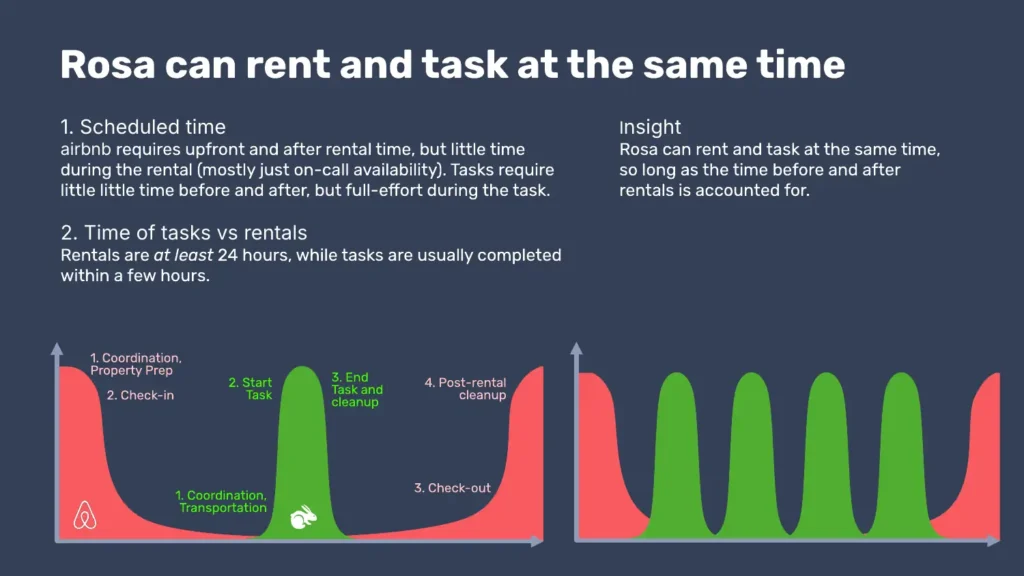
Rosa can rent and task at the same time
airbnb requires upfront and after rental time, but little time during the rental (mostly just on-call availability). Tasks require little little time before and after, but full-effort during the task.
2. Time of tasks vs rentals
Rentals are at least 24 hours, while tasks are usually completed within a few hours.
Rosa can rent and task at the same time, so long as the time before and after rentals is accounted for.
3. End Task and cleanup
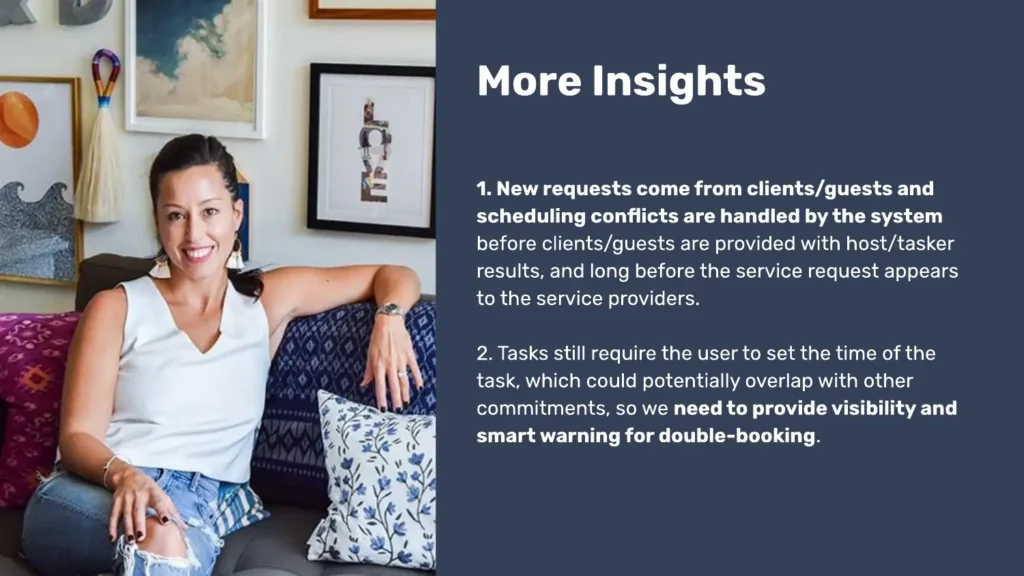
More Insights
1. New requests come from clients/guests and scheduling conflicts are handled by the system before clients/guests are provided with host/tasker results, and long before the service request appears to the service providers.
2. Tasks still require the user to set the time of the task, which could potentially overlap with other commitments, so we need to provide visibility and smart warning for double-booking.
My strategy around double booking
Treat the preparation and clean up time for hosting as a task, automatically added to Rosa’s calendar when a property is scheduled. It will default to 6 hours, but allow users to modify this in their settings
The time during when the property is occupied will still show as available on Rosa’s task calendar.
Calendar view will show tasks and rentals, but differentiate between when her time is booked and not.
My approach using re-usable systems
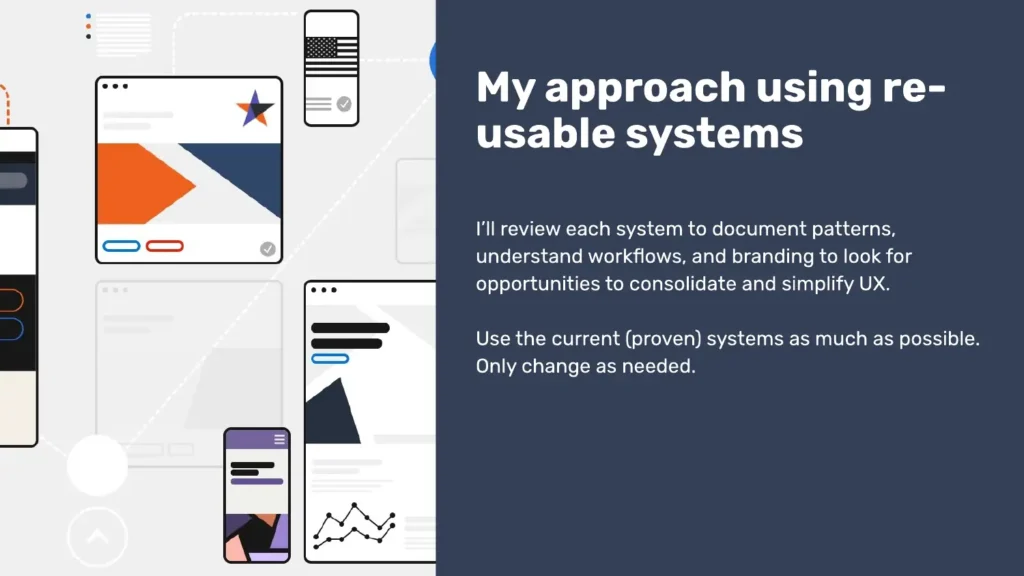
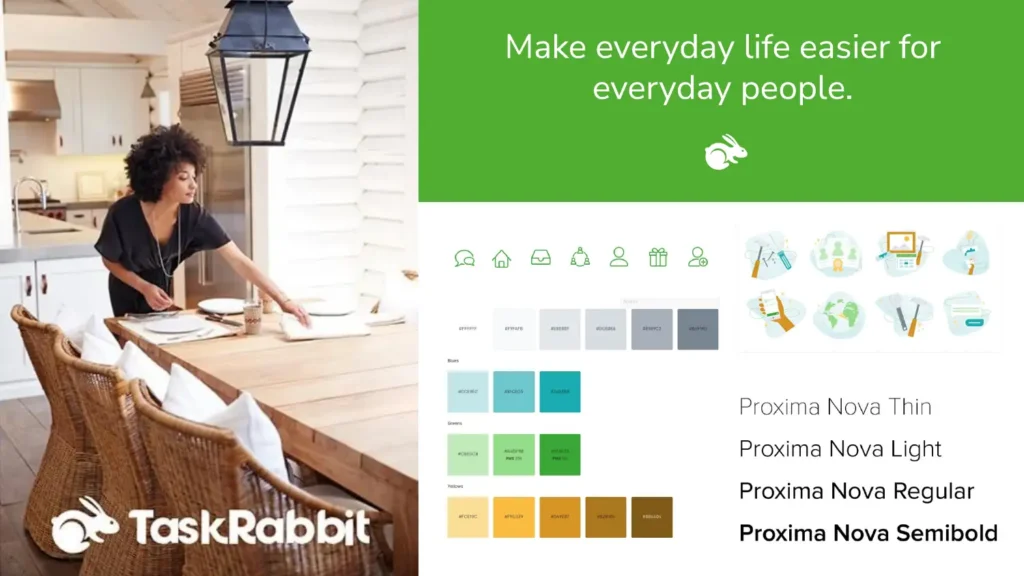
I’ll review each system to document patterns, understand workflows, and branding to look for opportunities to consolidate and simplify UX.
Use the current (proven) systems as much as possible. Only change as needed.
Availability settings - TaskRabbit
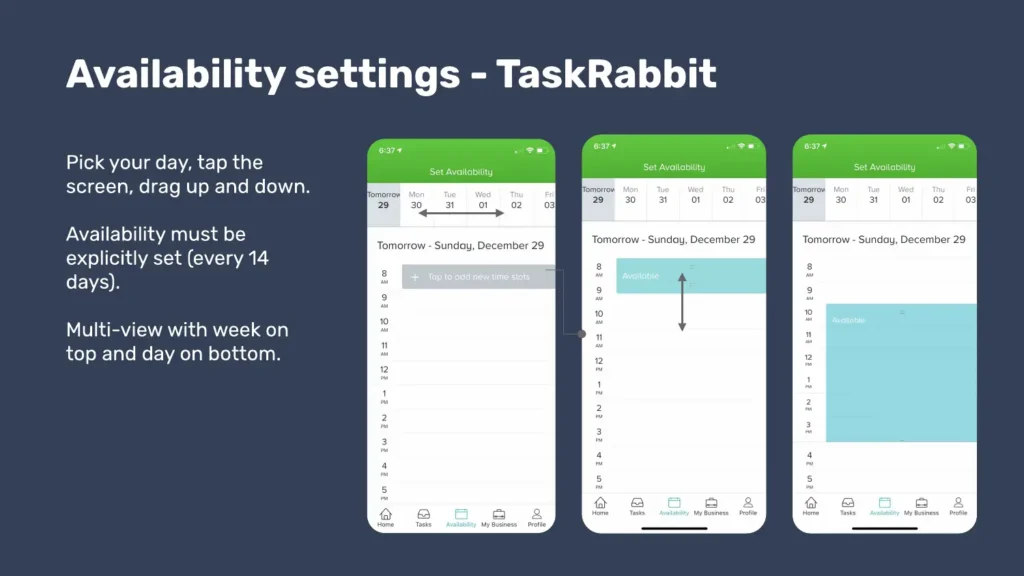
Pick your day, tap the screen, drag up and down.
Availability must be explicitly set (every 14 days).
Multi-view with week on top and day on bottom.
Availability settings - airbnb
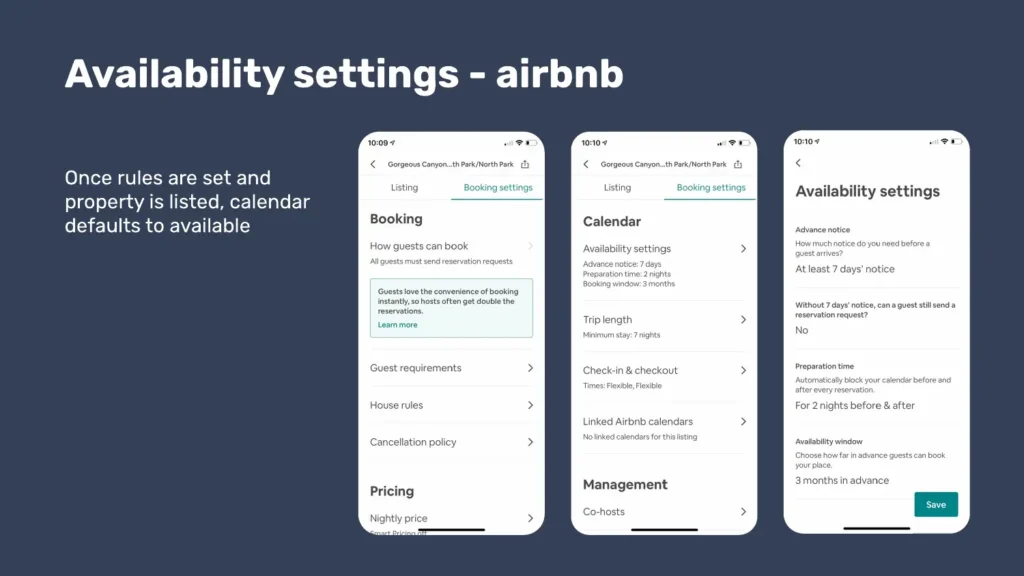
Once rules are set and property is listed, calendar defaults to available
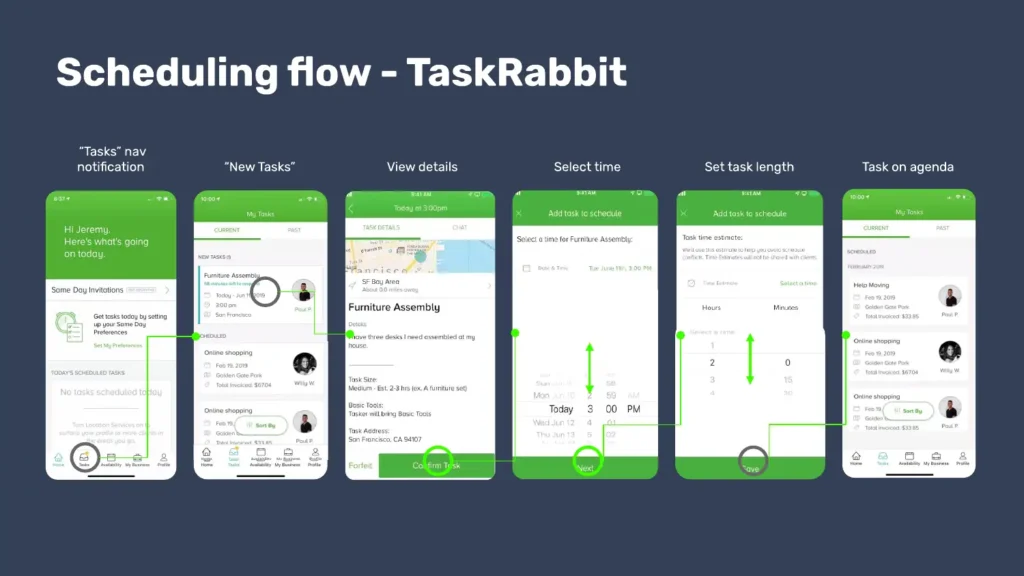
Scheduling flow - TaskRabbit
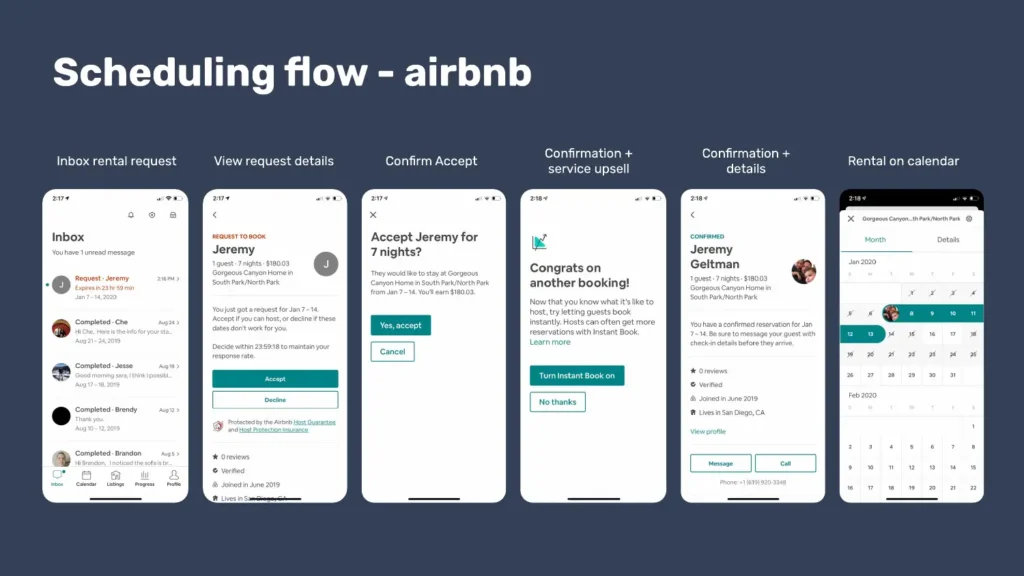
Scheduling flow - airbnb
Comparison of calendars and availability
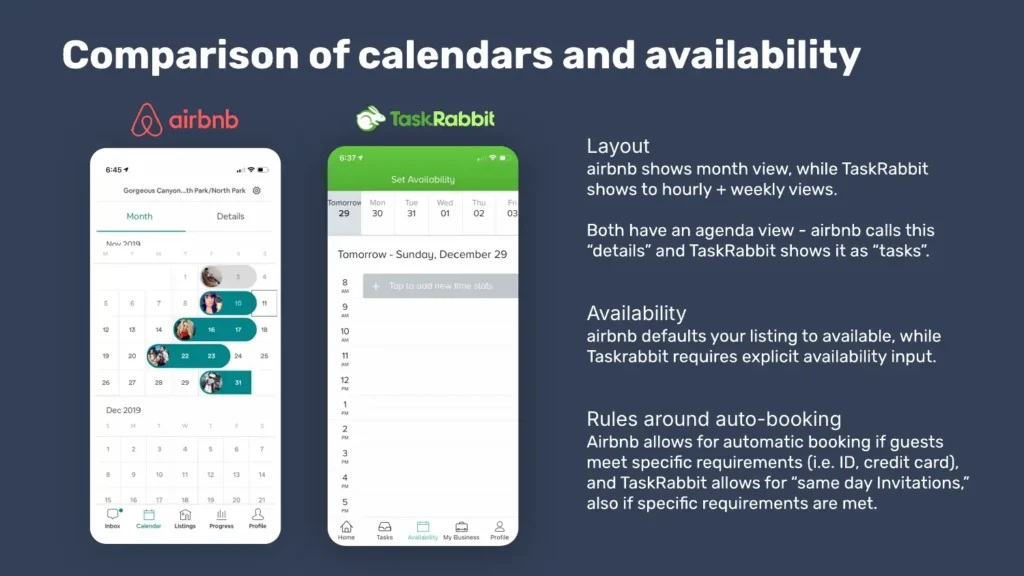
airbnb shows month view, while TaskRabbit shows to hourly + weekly views.
Both have an agenda view - airbnb calls this “details” and TaskRabbit shows it as “tasks”.
airbnb defaults your listing to available, while Taskrabbit requires explicit availability input.
Airbnb allows for automatic booking if guests meet specific requirements (i.e. ID, credit card), and TaskRabbit allows for “same day Invitations,” also if specific requirements are met.
Comparison of navigation
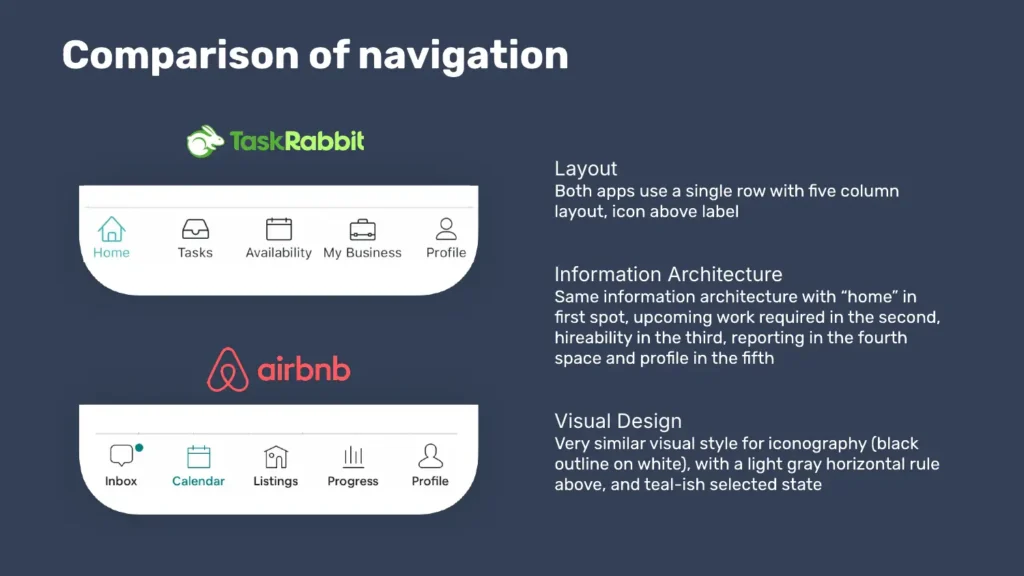
Both apps use a single row with five column layout, icon above label
Same information architecture with “home” in first spot, upcoming work required in the second, hireability in the third, reporting in the fourth space and profile in the fifth
Very similar visual style for iconography (black outline on white), with a light gray horizontal rule above, and teal-ish selected state
Make everyday life easier for everyday people.
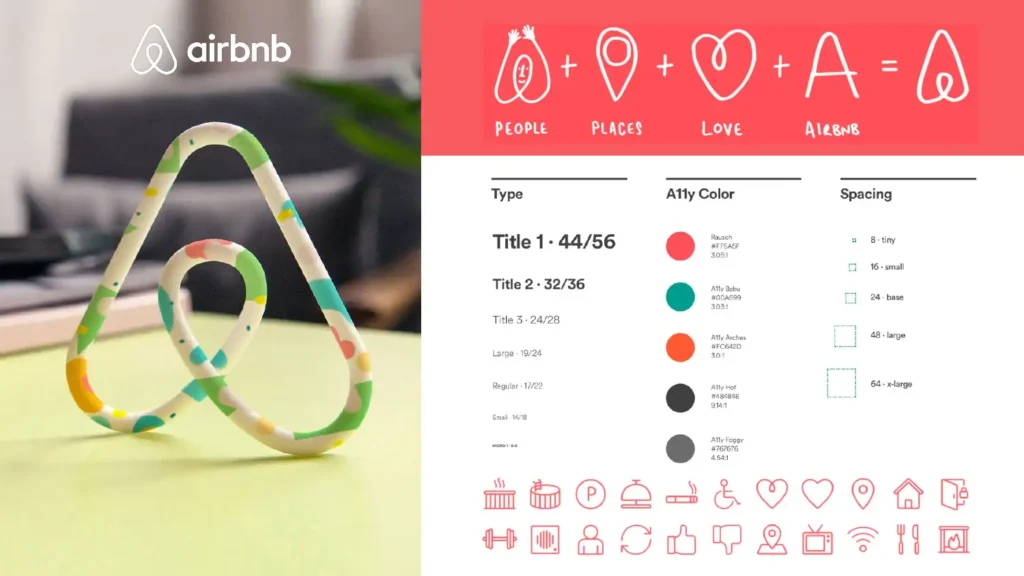
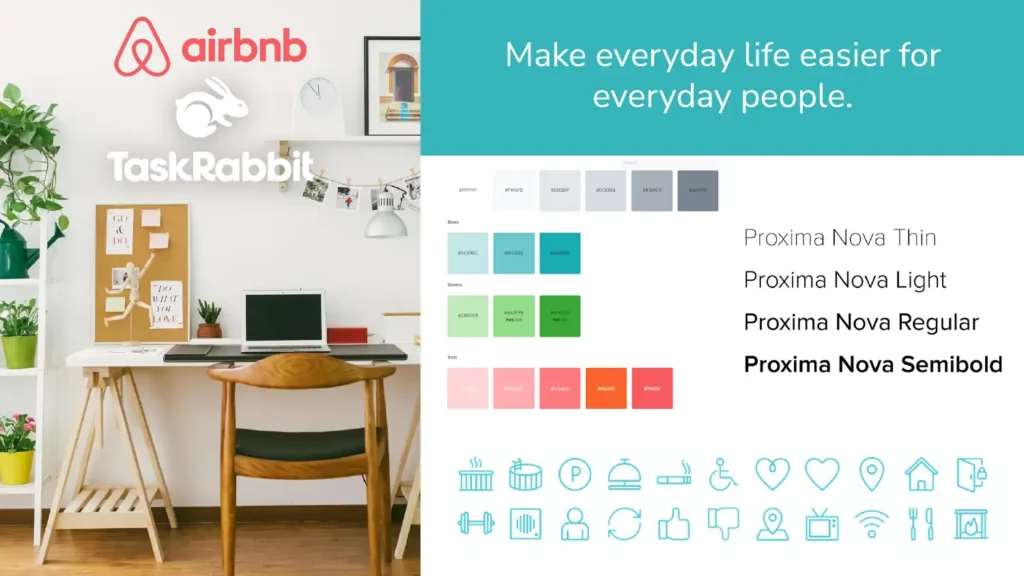
Make everyday life easier for everyday people.
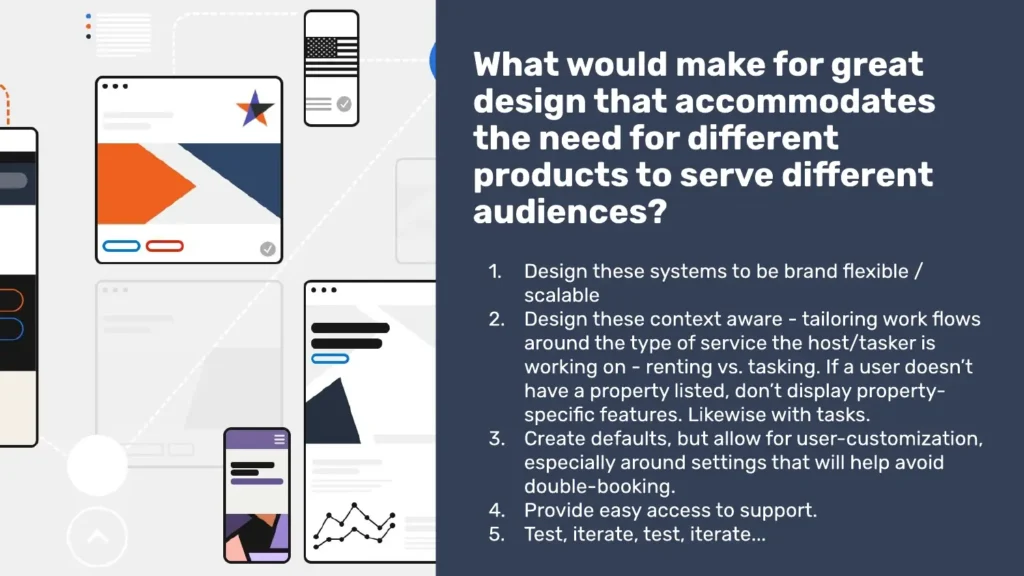
What would make for great design that accommodates the need for different products to serve different audiences?
Design these systems to be brand flexible / scalable
Design these context aware - tailoring work flows around the type of service the host/tasker is working on - renting vs. tasking. If a user doesn’t have a property listed, don’t display property-specific features. Likewise with tasks.
Create defaults, but allow for user-customization, especially around settings that will help avoid double-booking.
Provide easy access to support.
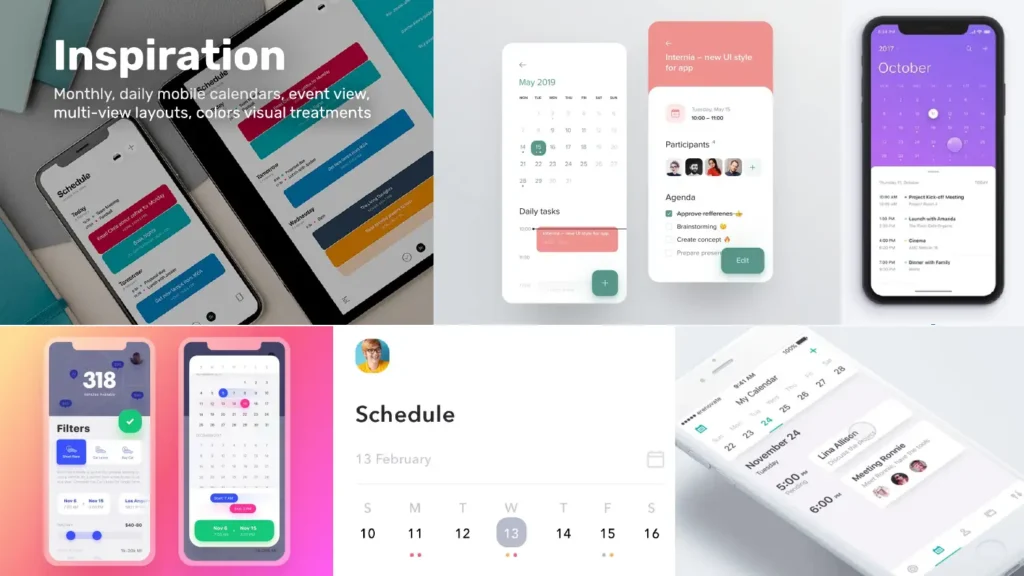
Inspiration
Monthly, daily mobile calendars, event view, multi-view layouts, colors visual treatments
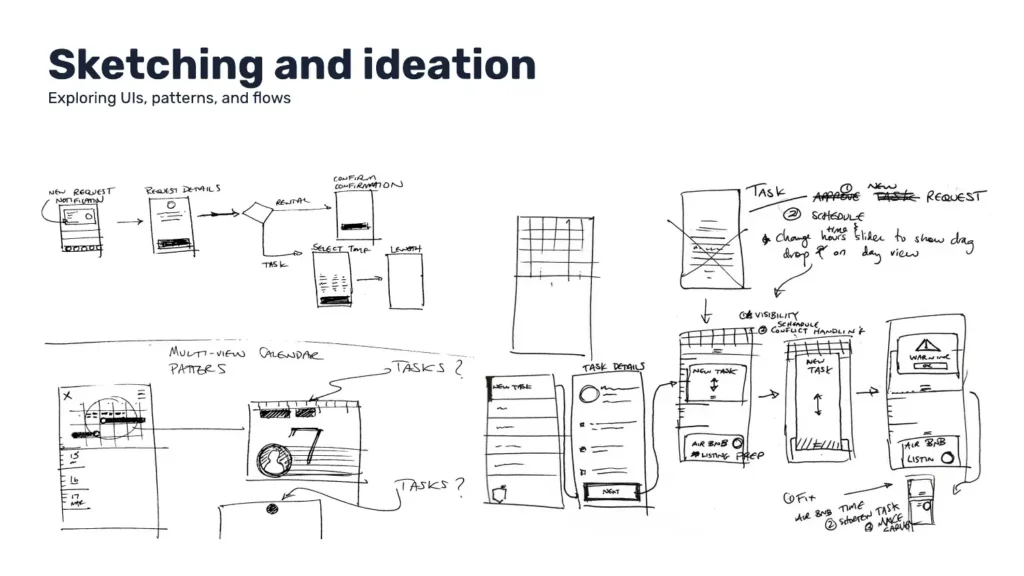
Sketching and ideation
Exploring UIs, patterns, and flows
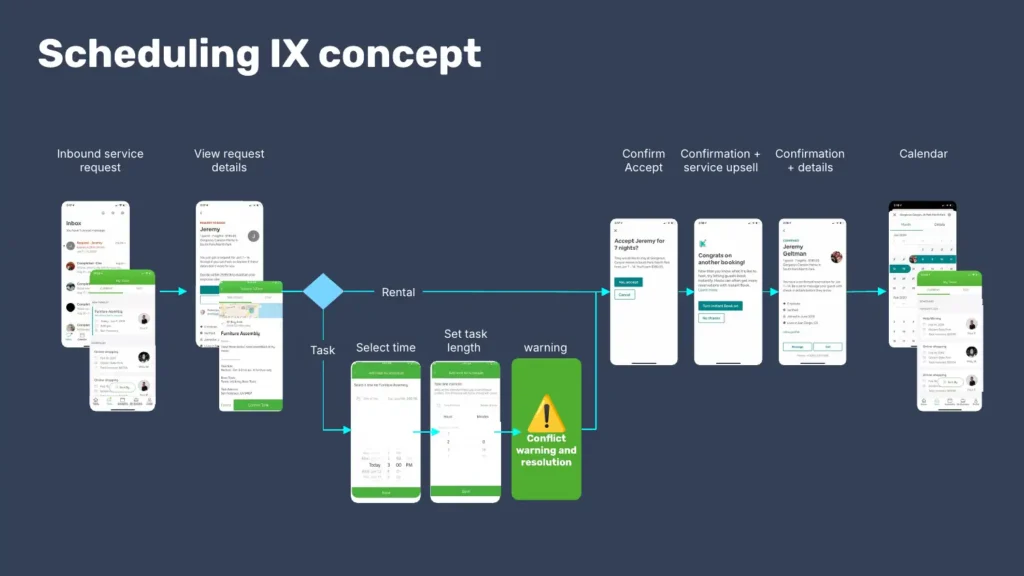
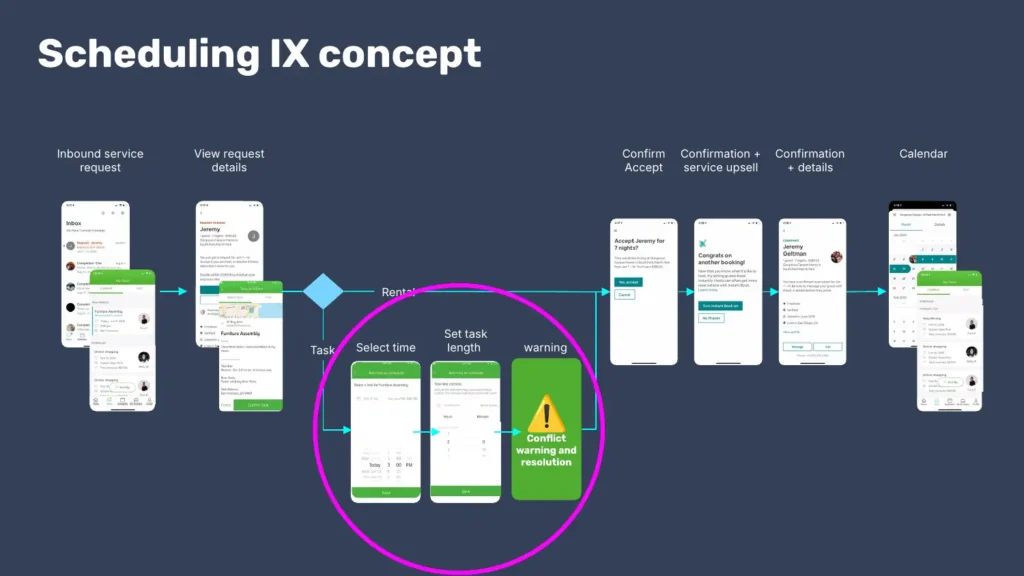
Scheduling IX concept
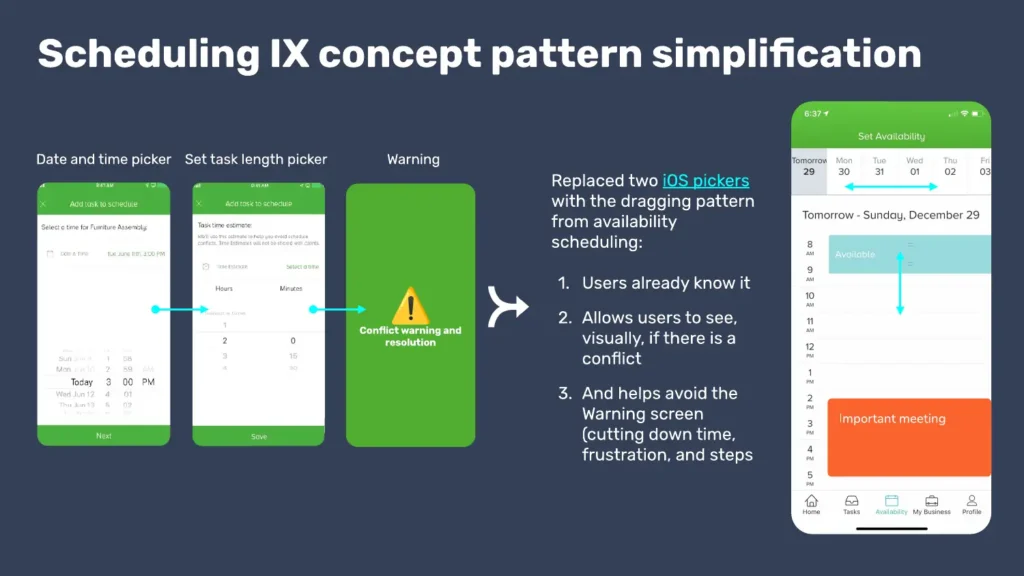
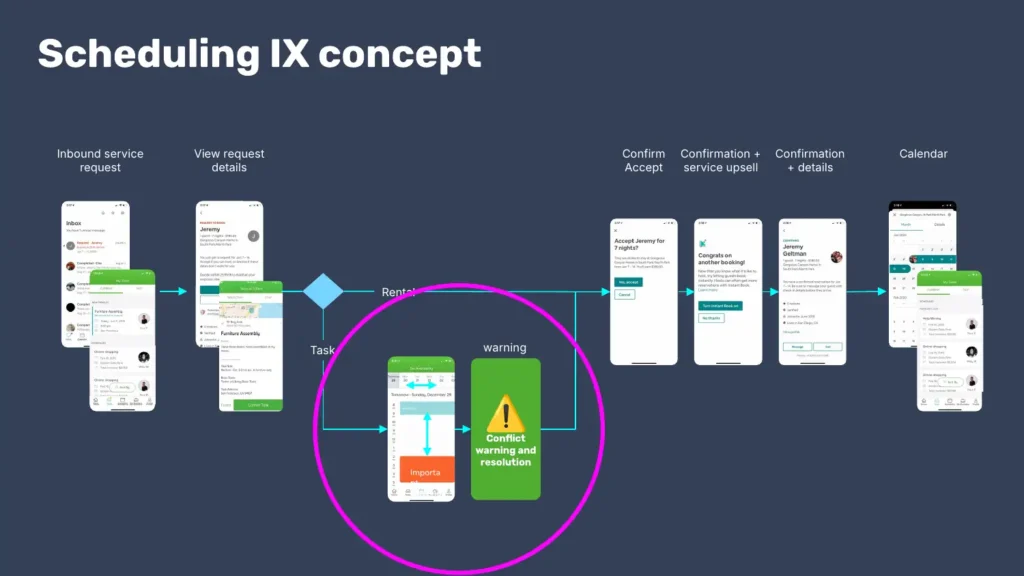
Scheduling IX concept pattern simplification
Replaced two iOS pickers with the dragging pattern from availability scheduling:
Allows users to see, visually, if there is a conflict
And helps avoid the Warning screen (cutting down time, frustration, and steps
Scheduling IX concept
Scheduling IX concept
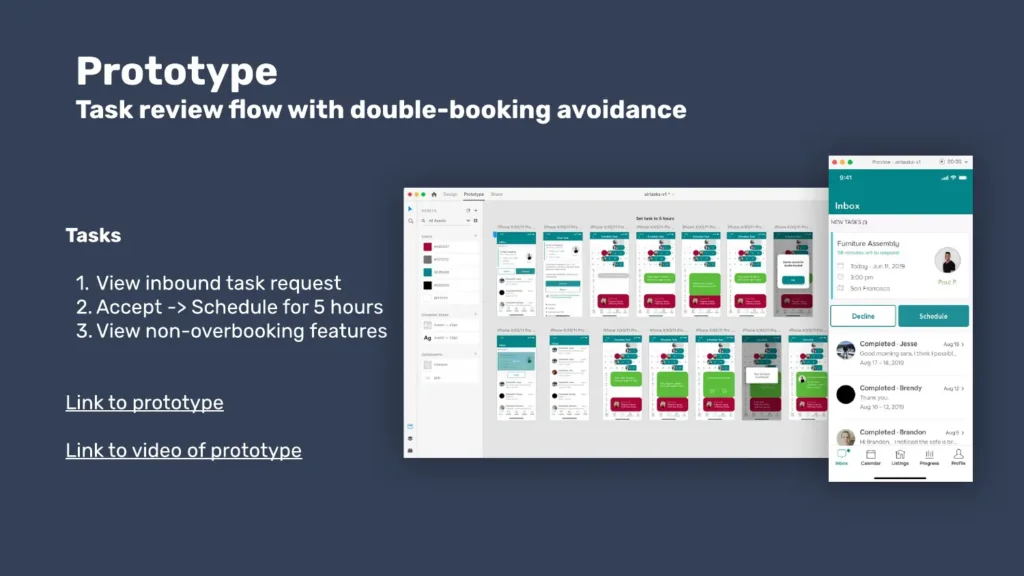
Prototype
Task review flow with double-booking avoidance
Accept -> Schedule for 5 hours
Link to video of prototype
Hi-Fi
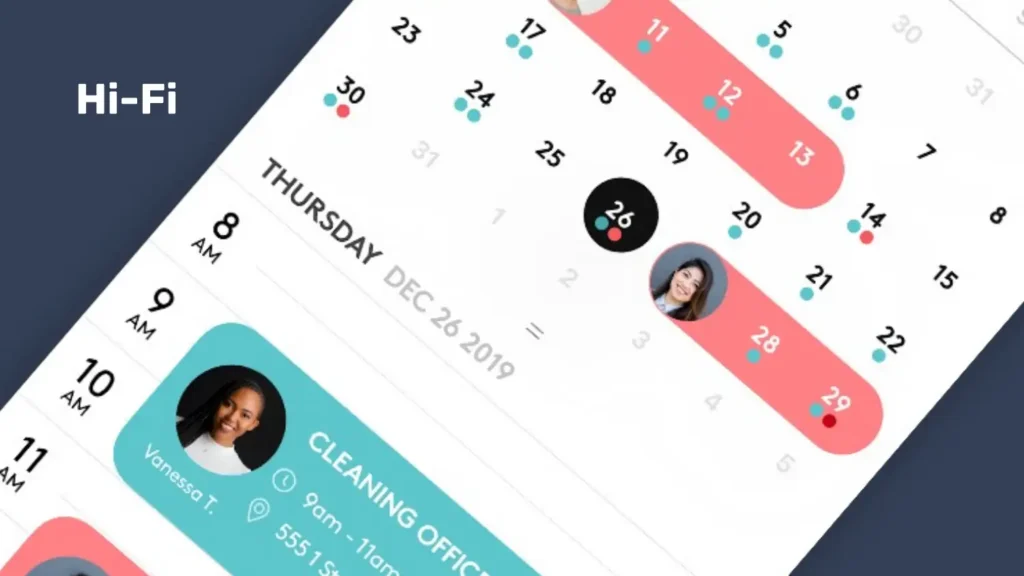
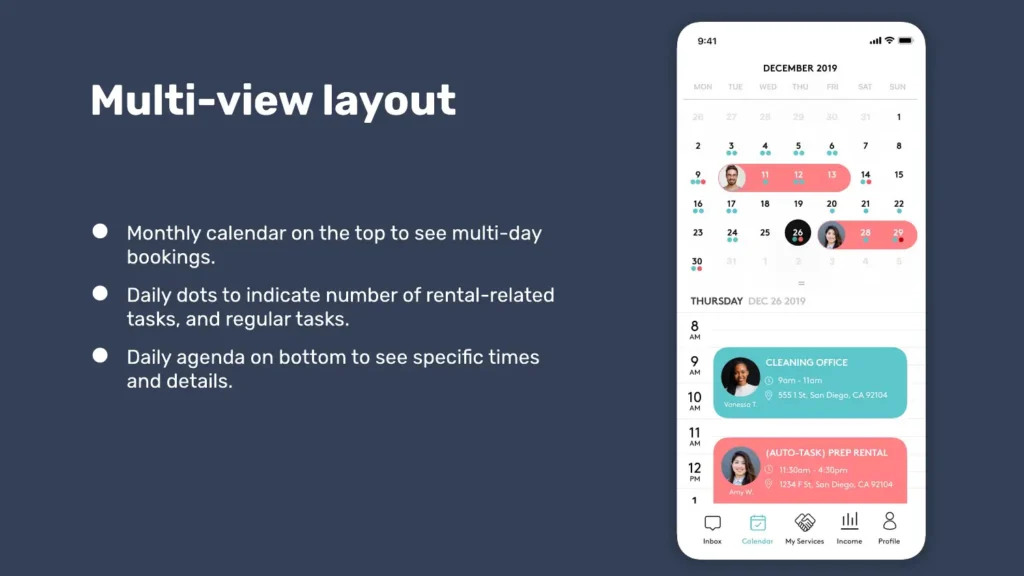
Multi-view layout
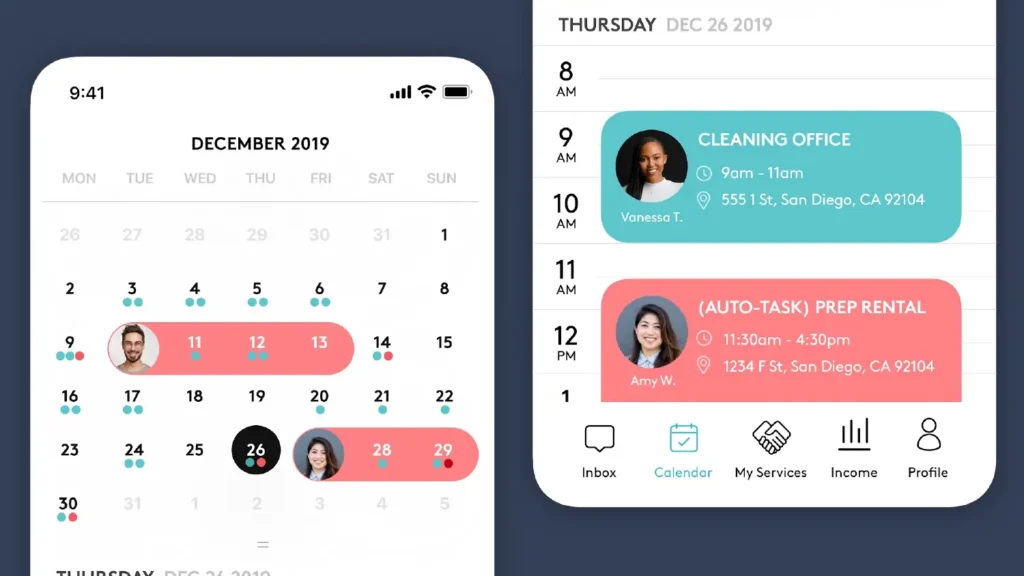
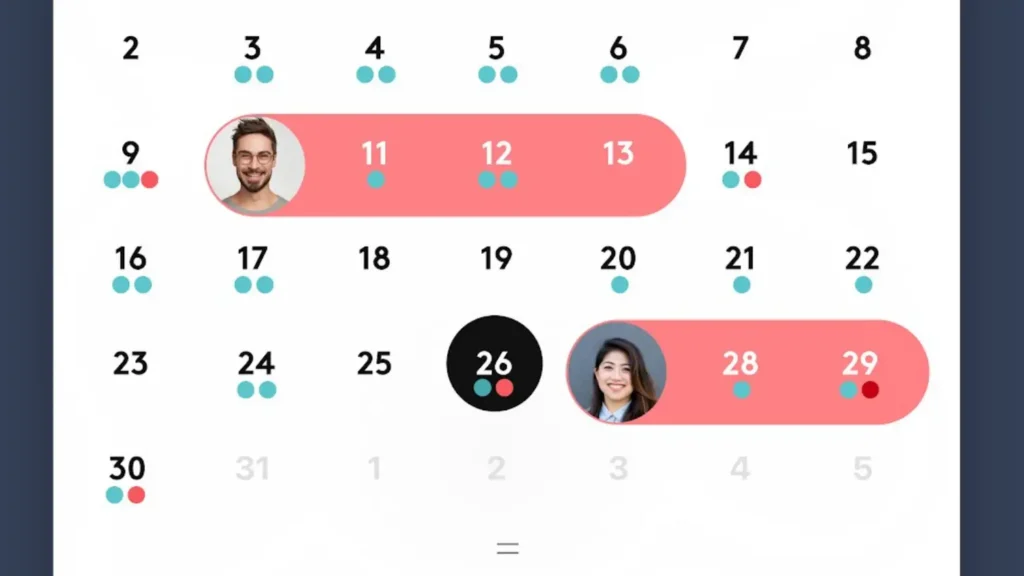
Monthly calendar on the top to see multi-day bookings.
Daily dots to indicate number of rental-related tasks, and regular tasks.
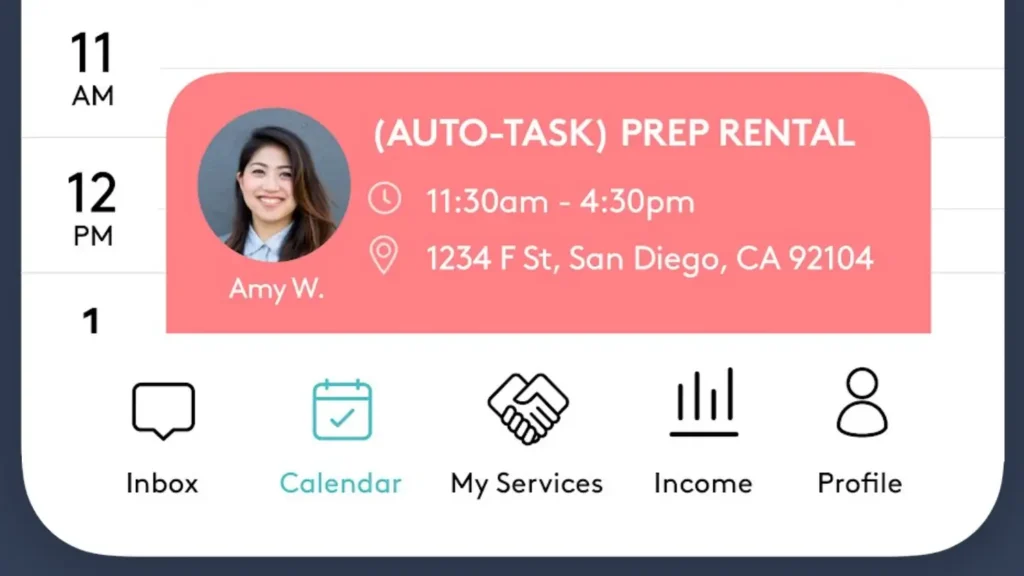
Daily agenda on bottom to see specific times and details.
Post-launch metrics
In order to measure whether this redesign was successful, I would measure the following for the subset of users using both airbnb and taskrabbit:
Rosa’s feedback and other user satisfaction ratings
Rate of total number of double booked incidences for users with both rentals and tasks
* hypothesis is that better calendar transparency and management will lead to a more efficient use of time and higher earnings and ratings.